Register a programme for municipality grants (frístundastyrkur)
Loading…
For parents in Iceland to be able to use their child's leisure grant (frístundastyrkur) on a programme, the programme must be registered in the municipality's payment system. You do this in the programme's advanced settings.
Go to Home → Programmes, click the three dots (⋮) on the programme and choose Edit. You can also do this when you create a new programme.
Click Advanced settings at the bottom.
Find Municipality ("Register this program in the destination account’s municipality payment systems").
Turn the switch on.
Click Save Changes.
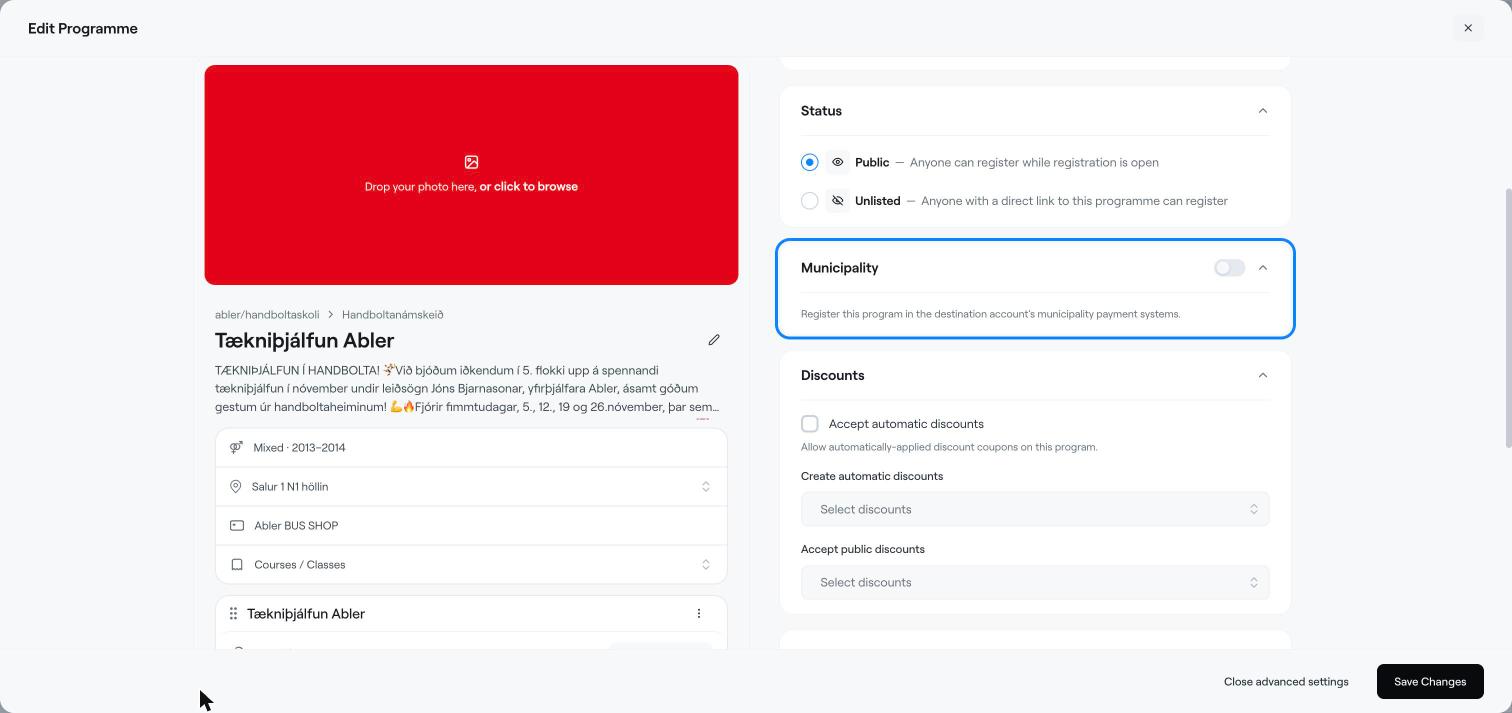
The programme is registered with the municipality that the programme's bank account (destination account) belongs to. Parents can then choose to use the grant when they register in the shop.
The municipality must be connected to Abler for the grant to be available.
If a parent forgot to use the grant at checkout, you can add it to the invoice afterwards. See Use a municipality grant (frístundastyrkur) on an invoice.
In the same advanced settings you will also find Enable Service Fee, an extra fee added when the customer chooses to pay in instalments.
Use a municipality grant (frístundastyrkur) on an invoice
Create a programme
Create a bank invoice (Iceland)