Register members to a programme
Loading…
Admins can register a member to a programme directly, for example when a parent asks you to sign up their child, or for programmes that are not sold in the shop. There are two ways to do it: from the Registrations list or from the programme itself.
Example: Sara Ólafsdóttir asks you to sign up her son Jón Bjarnason for the Thursday sessions.
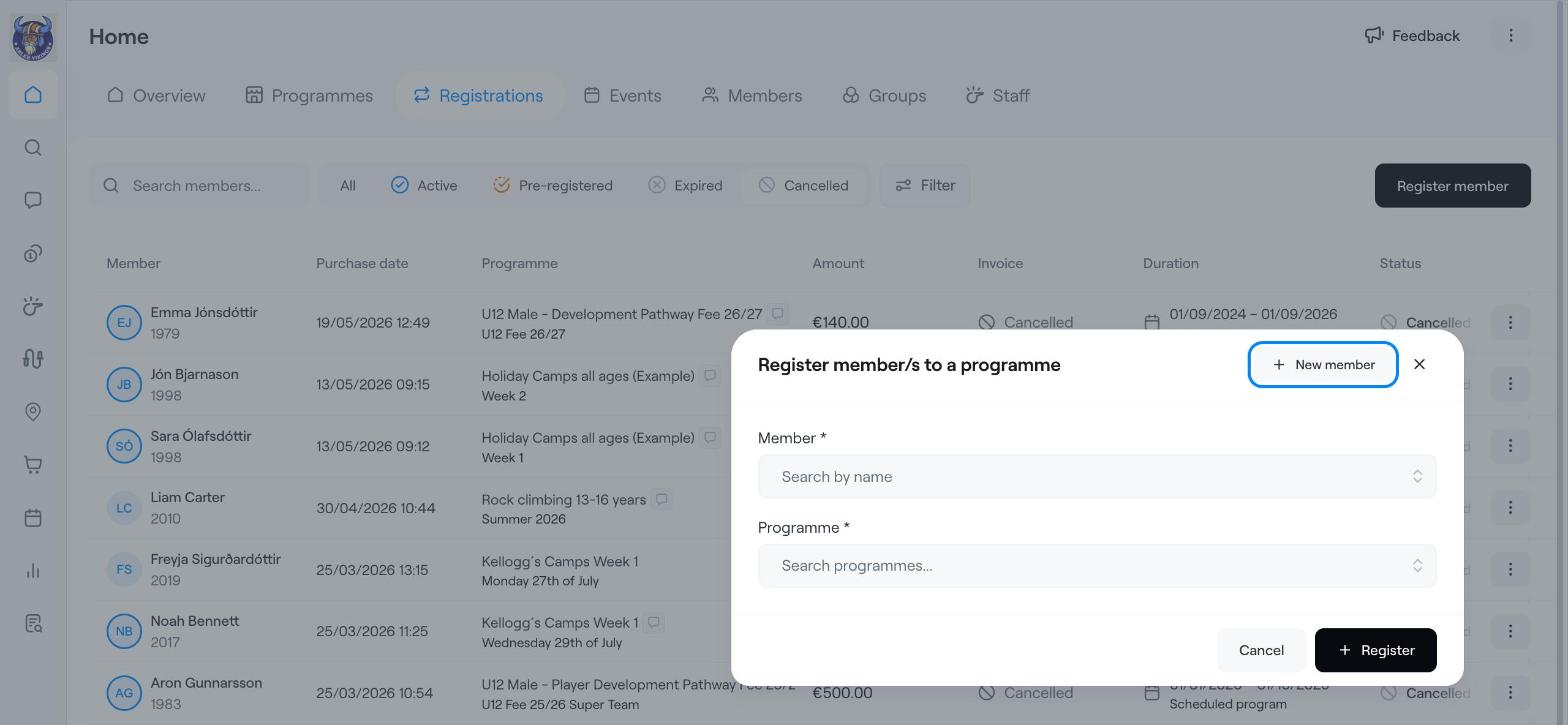
Use this when you want to register a member to any programme in the club.
Go to Home → Registrations.
Click Register member in the top-right corner.
Under Member, search for the member by name. If the person is not in Abler yet, click New member to create them first.
Under Programme, search for and select the programme.
If the programme has options, tick the option or options the member should join.
Click Register.
Use this when you are already working in a programme.
Go to Home → Programmes and open the programme.
Click Register member in the top-right corner.
Under Member, search for the member by name, or click New member.
Tick the option or options the member should join. Each option shows its dates and price, and the Total at the top of the list updates as you tick.
Click Register.
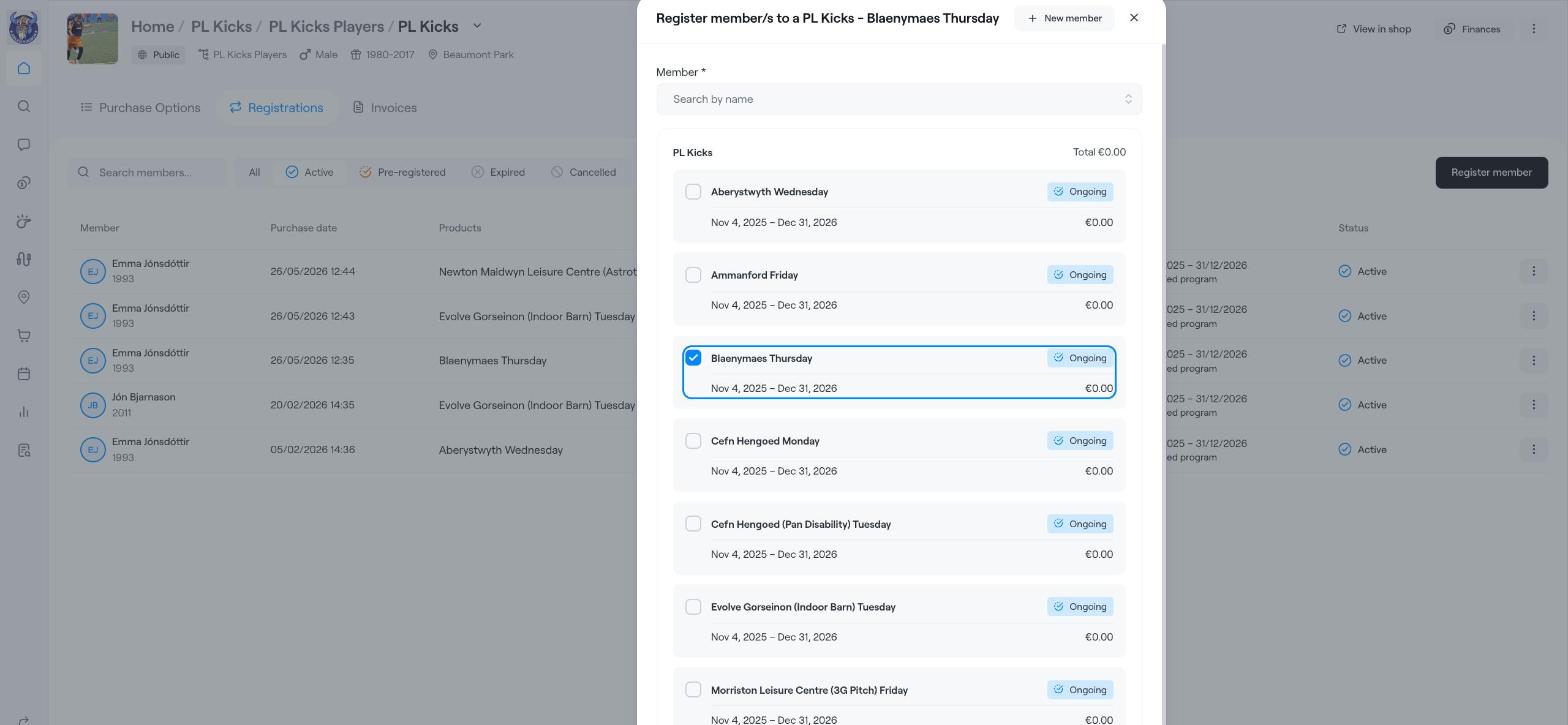
The registration appears in the programme's Registrations tab and in Home → Registrations. From there you can edit it, end it or open its invoice through the three dots (⋮) on the row.
Check the Total before you click Register. It shows what the member will be invoiced for the options you ticked.
Registration Tab
Edit a registration
End a registration
Move a member to another option (workaround)