Example: Training fees for a season (term with instalments)
Loading…
This example shows how to set up yearly training fees for a group, split into an autumn and a spring term, and let families pay each term in instalments. For a full walkthrough of every field, see Create Programme.
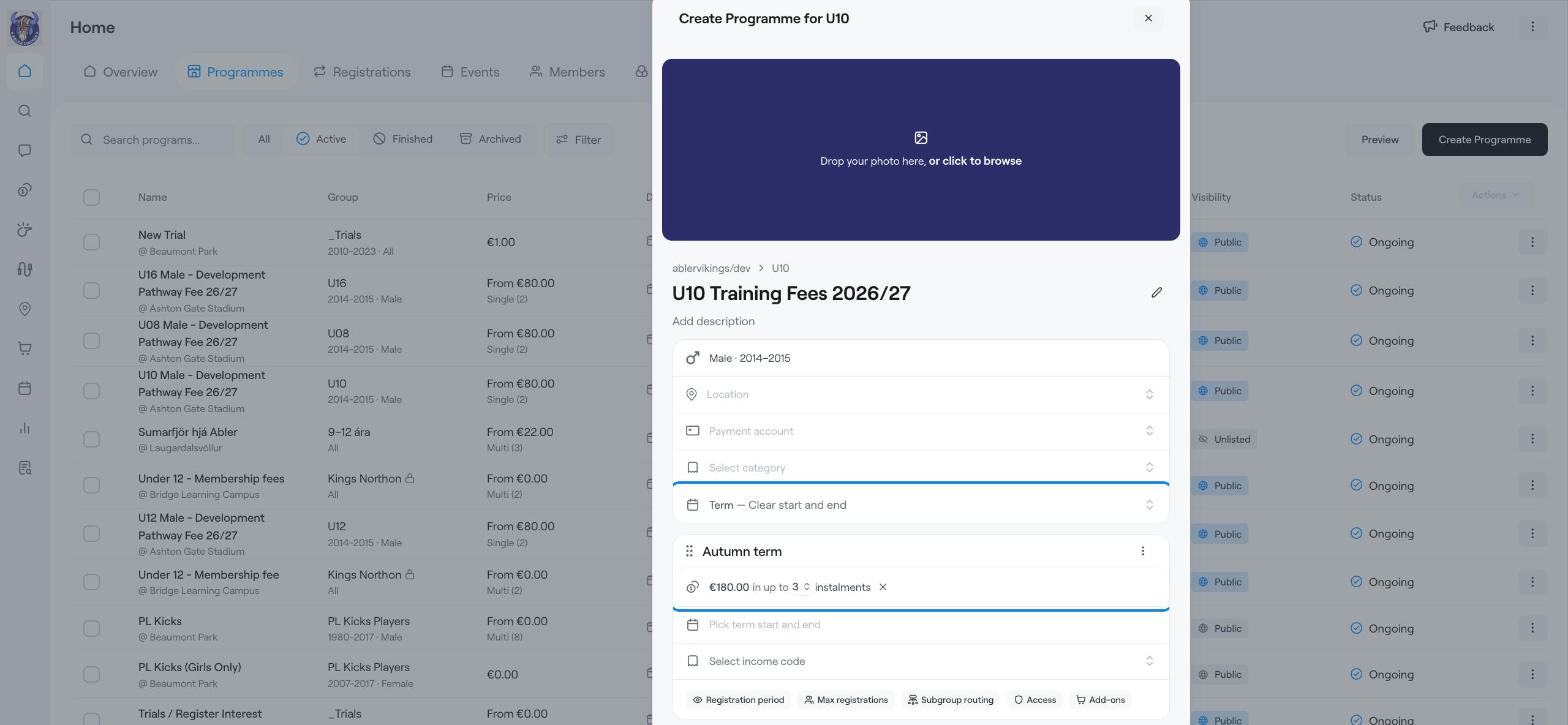
Example: U10 training fees for the 2026/27 season. The autumn term costs €180 and can be paid in up to 3 instalments.
Training fees for a season or school year.
Any programme with a clear start and end date.
When you want families to choose between paying in full or in instalments.
Go to Home → Programmes and click Create Programme.
In Select a group, choose the group, for example U10. The gender and birth years are taken from the group.
Click Enter programme name and type a clear name, for example U10 Training Fees 2026/27. Add a short description if you like.
Choose the Location, Payment account and Category.
Make sure the programme type is Term — Clear start and end. A term runs over a fixed period, such as a school term, sports season or 8-week course.
Click Term and rename it, for example Autumn term.
Click the price and enter the amount, for example 180.
Click Allow instalments. Choose the maximum number of instalments, for example up to 3.
Click Pick term start and end and choose the dates.
If you use income codes, choose one under Select income code.
Click Add Term.
Choose the Term start and Term end dates, for example January to May, and click Add Term.
Rename it, for example Spring term, and set its price and instalments.
Registration period: when the term is open for registration in the shop.
Max registrations: the number of places, with the option to Allow waiting list.
Subgroup routing: which subgroups new members are added to.
Access: access products the term includes or requires.
Add-ons: extras families can buy with the term, such as a kit.
Check everything and click Create Programme.
If you close the window before you finish, Askja asks whether to keep a draft. Choose Finish later to keep it in this browser for 7 days. Photos and attachments are not kept.
Create Programme
Example: Monthly membership (subscription)
Waiting list and limited spots
Register members to a programme