Example: Camp or course with several weeks and limited places
Loading…
This example shows how to set up a camp or short course where families choose one or more weeks, each week has a limited number of places, and extra sign-ups go on a waiting list. For a full walkthrough of every field, see Create Programme.
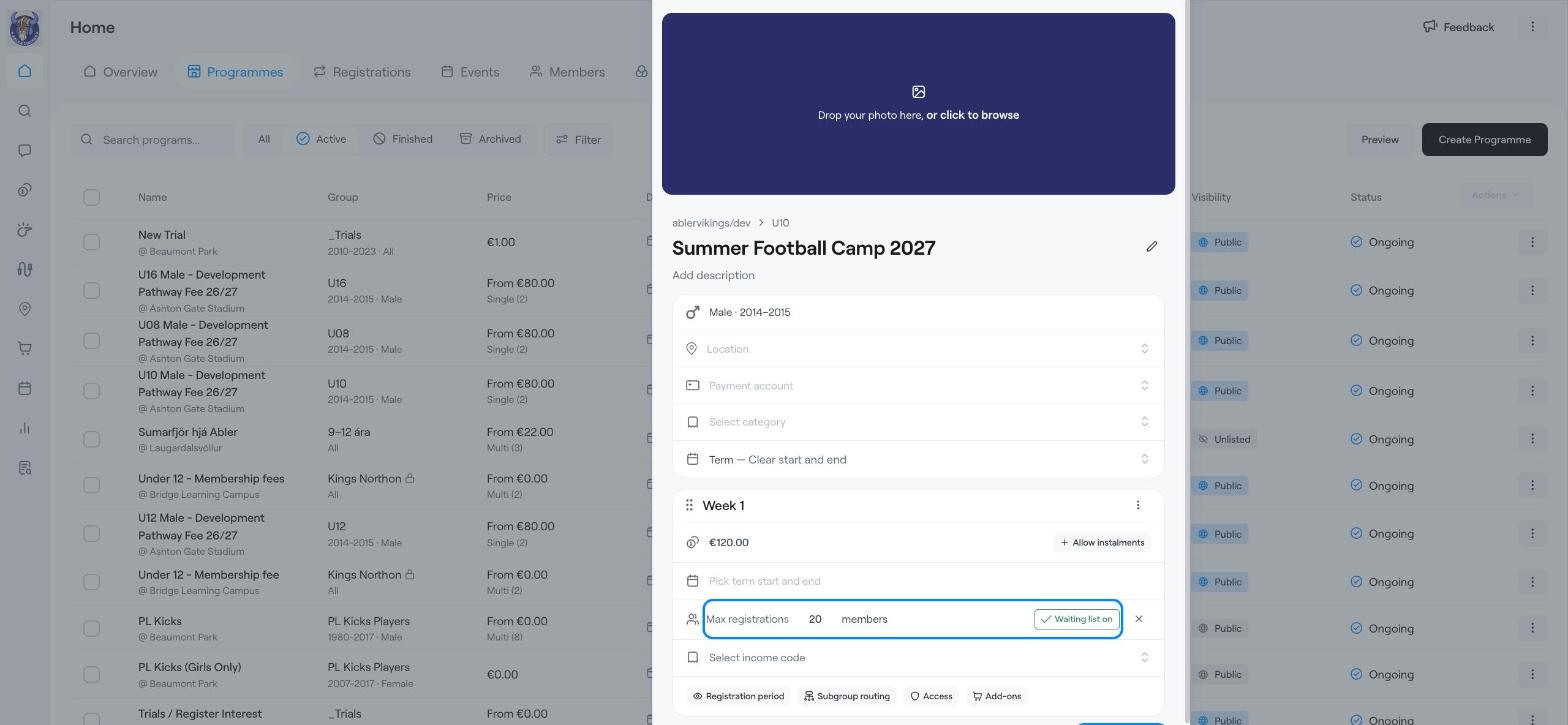
Example: Summer Football Camp 2027 for U10, with one option per week. Each week costs €120 and has 20 places.
Holiday camps and summer schools.
Short courses that run several times, for example on different days or weeks.
Any programme where places are limited.
Go to Home → Programmes, click Create Programme and choose the group.
Enter the programme name, for example Summer Football Camp 2027, and a description with times, what to bring and so on.
Choose the Location, Payment account and Category.
Keep the programme type as Term — Clear start and end.
Rename the first option, for example Week 1.
Enter the price, for example 120.
Click Pick term start and end and choose the week's dates.
Click Max registrations and enter the number of places, for example 20.
Click Allow waiting list so that families can join a waiting list when the week is full. It then shows Waiting list on.
Click Add Term.
Choose the Term start and Term end dates for the next week and click Add Term.
Rename it, for example Week 2, and set its price, places and waiting list.
Repeat for each week.
Registration period: open and close registration on set dates.
Add-ons: let families buy extras, such as lunch or a camp T-shirt.
Programme capacity in Advanced settings: the maximum number of places for the whole camp, across all weeks.
Check everything and click Create Programme.
When a week is full, you can see who is waiting and add them to the option. See Waiting list and limited spots.
Create Programme
Waiting list and limited spots
Example: Training fees for a season (term with instalments)