Collect information with a survey and send a welcome email
Loading…
When members sign up for a programme you can ask them questions with a survey, for example the shirt size, allergies or photo consent, and send them a welcome email automatically.
Example: for the summer camp you ask for the child's T-shirt size and allergies, and send a welcome email with the first day's plan.
Go to Home → Programmes, click the three dots (⋮) on the programme and choose Edit. You can also do this when you create a new programme.
Scroll down and click Advanced settings.
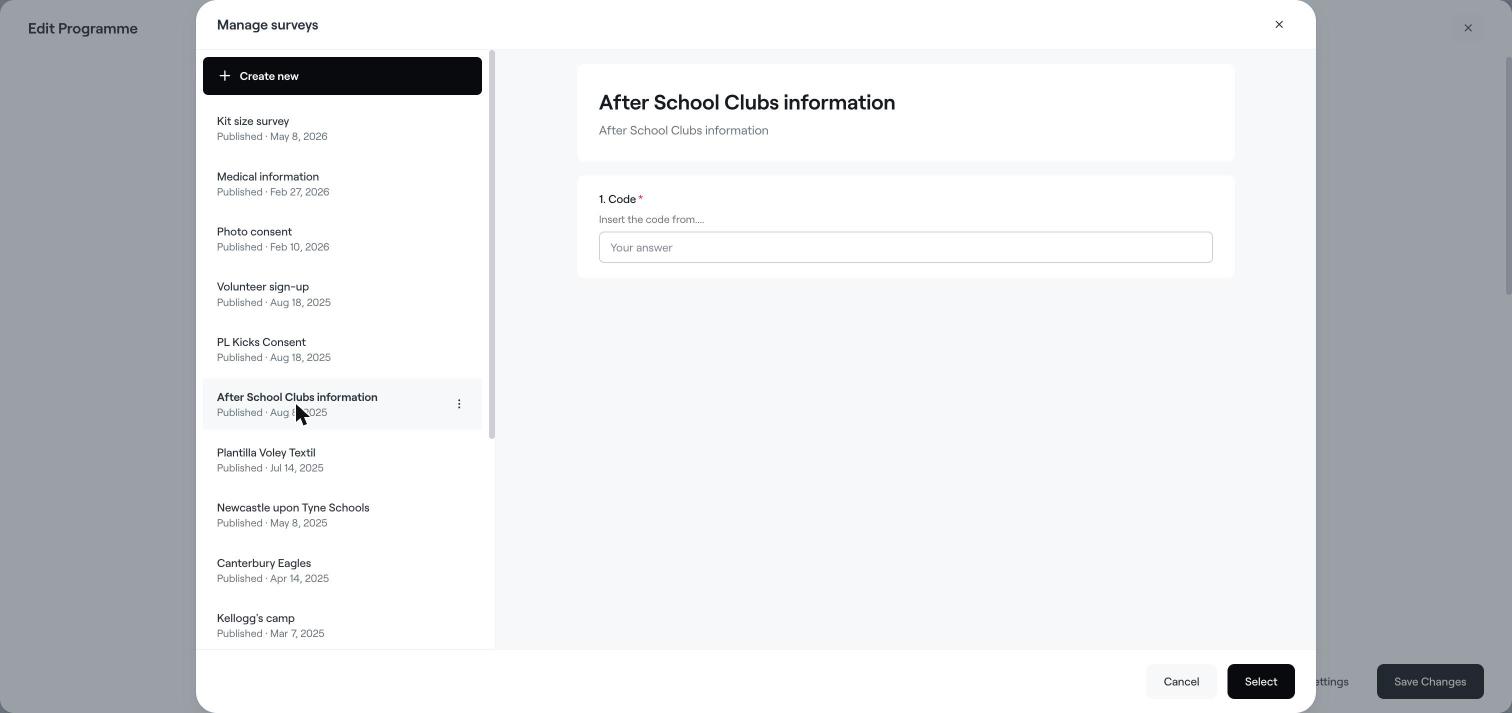
Under Survey, click Manage.
Choose an existing survey from the list. A preview of the questions is shown on the right.
To make a new one, click Create new, give it a title and description, add your questions and click Save.
Click Select to attach the survey to the programme.
Members answer the survey when they register. Questions marked with * are required.
Under Welcome email, click Manage.
Choose an email template, or create a new one, and select it.
The email is sent automatically to everyone who signs up for the programme.
Click Save Changes.
Open the registration (for example under Home → Registrations), click the three dots (⋮) and choose Manage survey to see a member's answers. Use Export as Excel on the programme to download all answers.
Create a programme
Edit, clone or archive a programme
The member overview page