Refund a payment
Loading…
You can refund all or part of a payment from the invoice in Askja. The money goes back to the member's card, or you can record that you paid it back in cash.
Example: Liam Carter paid for a camp week that was cancelled. You refund the full amount to his card.
Go to Finance → Invoices (the coin icon in the left menu).
The list shows the last 7 days by default. To see older invoices, click the date filter and choose a longer period, for example Past 12 months.
Find the invoice. You can search by invoice number or filter by Status, Programme, Members and more.
Click the three dots (⋮) at the end of the row and choose Apply refund.
You can also open the invoice first and refund from there.
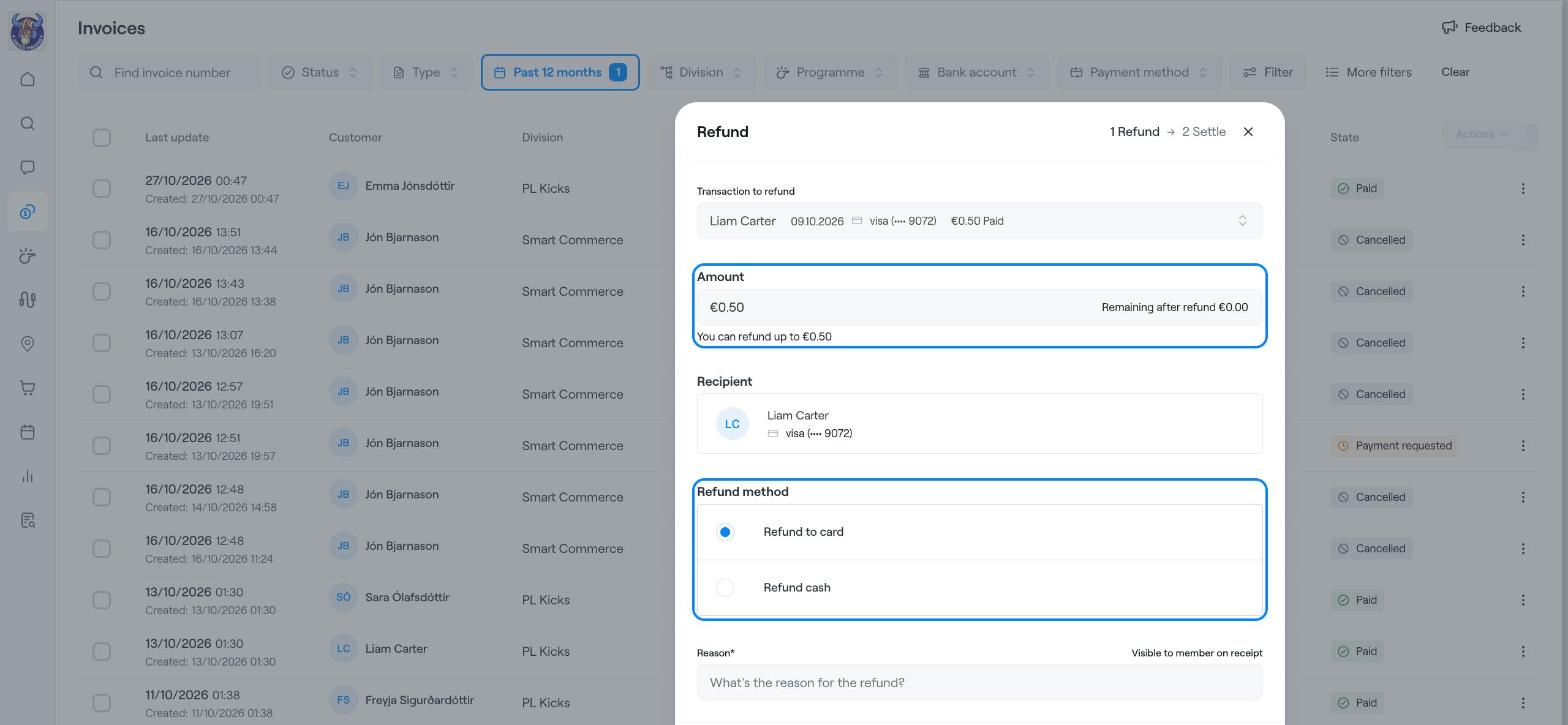
Transaction to refund: if the invoice has more than one payment, choose which one to refund.
Amount: enter how much to refund. Askja shows the most you can refund and what remains after the refund. For a partial refund, enter a lower amount.
Recipient: shows who receives the refund and the card it goes to.
Refund method: choose Refund to card to send the money back to the card, or Refund cash if you pay the member back yourself and only want to record it.
Reason: write why you are refunding. This is required and the member can see it on their receipt.
Click Next.
In the second step, Settle, Askja asks how to close any amount that is still unpaid on the invoice after the refund. Choose the option that fits and confirm the refund.
Card refunds can take a few days to reach the member's account.
A refund cannot be more than what was paid on that transaction.
The refund is shown under Finance → Transactions, with the club as the payer.
If the member is leaving the programme, end their registration first and then refund. See End a registration.
End a registration
Manage Refunds and Instalments in a Payment Plan
Find members, guardians, invoices and more