Move a member to another option
Loading…
Askja doesn't have a Move action for registrations yet. Until it does, you move a member by ending their current registration and then registering them to the new option.
Example: Emma Jónsdóttir trains on Tuesdays but wants to switch to Thursdays.
Coming soon: A dedicated Move action is on its way. We'll update this article when it's live.
You need admin access to the programme.
Check whether the member has already paid for their current option. This decides what you do with the invoice in step 2.
Go to Home → Programmes and open the programme.
Open the Registrations tab. You can also stay on Purchase Options and expand the option the member is in.
Find the member in the list. Use Search members if the list is long.
Click the three dots (⋮) at the end of the member's row.
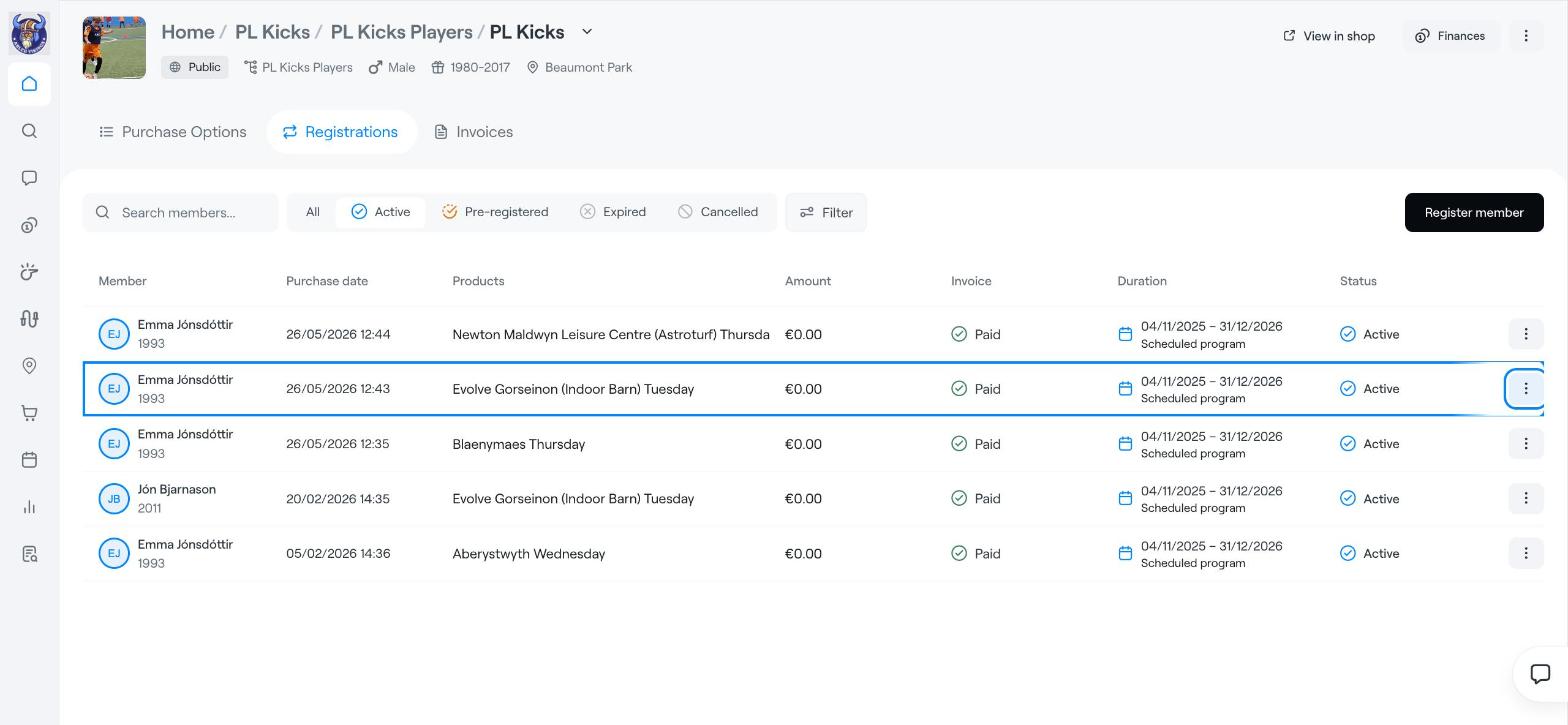
In the menu, choose End registration.
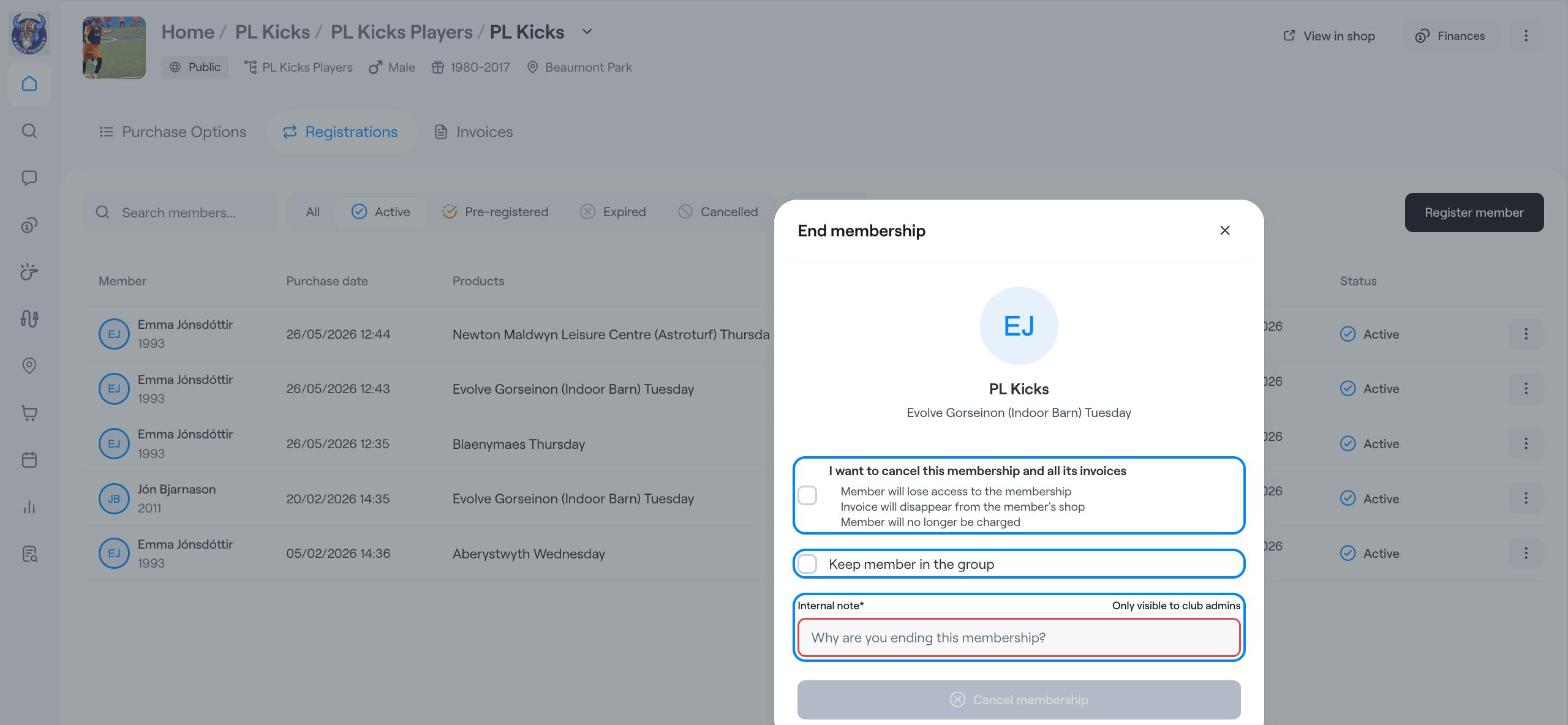
In the End membership window, choose:
I want to cancel this membership and all its invoices: tick this only if the old invoice should be cancelled. The member loses access, the invoice disappears from the member's shop, and they won't be charged for it. If the member has already paid, leave it unticked and settle any difference separately, for example with a refund.
Keep member in the group: tick this if the member should stay in the group while you register them again.
Write an Internal note explaining the change, for example "Moved to Thursday option at parent's request". The note is required and only club admins can see it.
Click Cancel membership.
On the programme page, click Register member (top right).
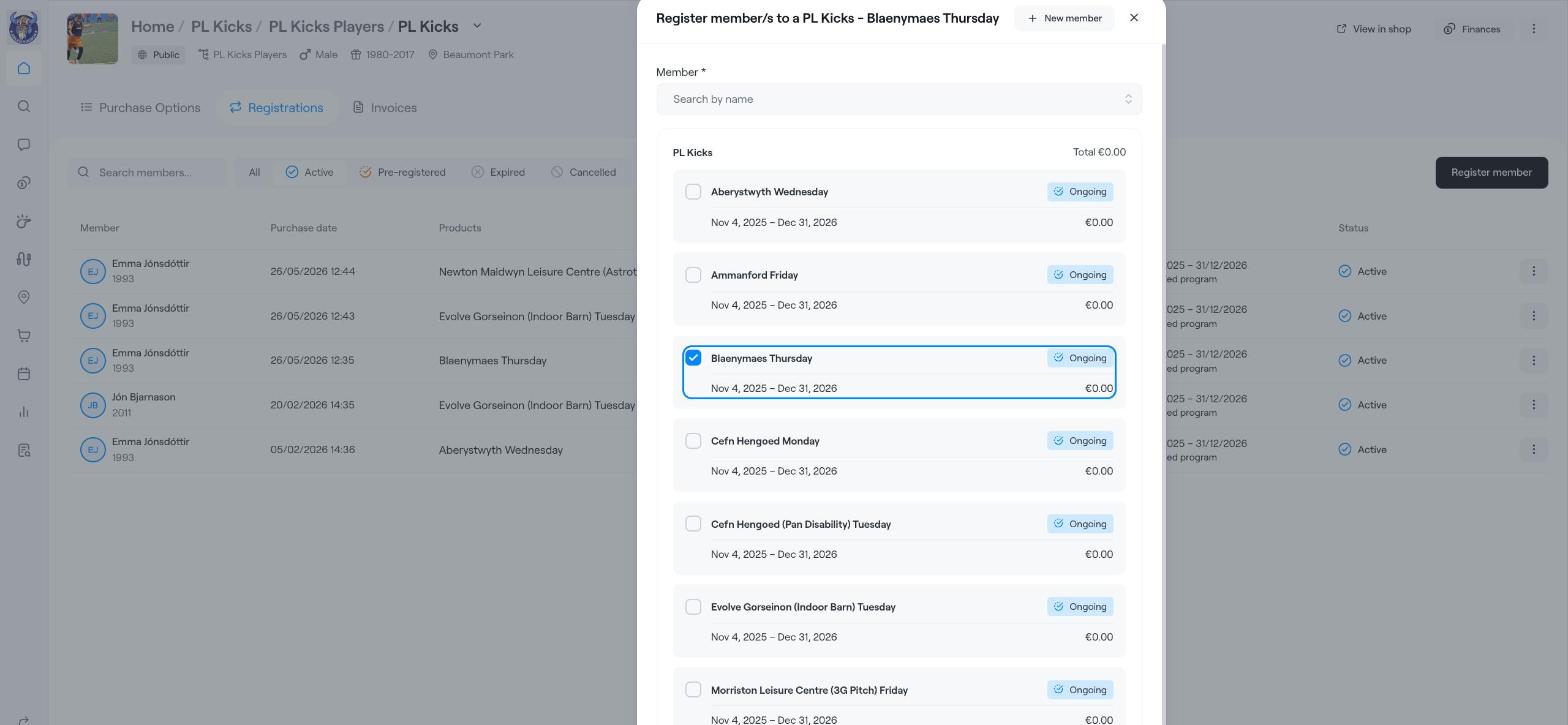
Under Member, search for the member by name and select them.
Tick the new option and check the Total at the top of the list.
Click Register.
Open the Registrations tab. The member should appear under Active with the new option. The old registration is no longer active; use the Cancelled filter to see it.
Let the family know about the change: click ⋮ on the new registration and choose Send message.
Find members, guardians, invoices and more
Registration Tab
Members