The member overview page
Loading…
Every member has an overview page in Askja that brings together their details, registrations, invoices, groups and upcoming events. From here you can also check their care & safety information and keep internal notes that only admins can see.
Example: before a training camp, you want to check whether Liam Carter has any allergies and leave a note that his grandmother picks him up on Fridays.
Go to Home → Members, or use the search (magnifying glass or ⌘K).
Click the member's name. The overview opens in a panel on the right.
To see it as a full page, click the expand icon at the top of the panel.
The overview shows:
Profile card: name, gender, date of birth and age, contact details, and a Send message link.
Care & safety info: tags such as Medical, Pick up required or No photos.
Internal notes.
Family members: the member's guardians. If none are connected, you can click Invite guardian.
Registrations, Invoices, Groups and Upcoming events.
The tabs at the top (Registrations, Events, Groups, Invoices, Transactions and History log) show the full lists.
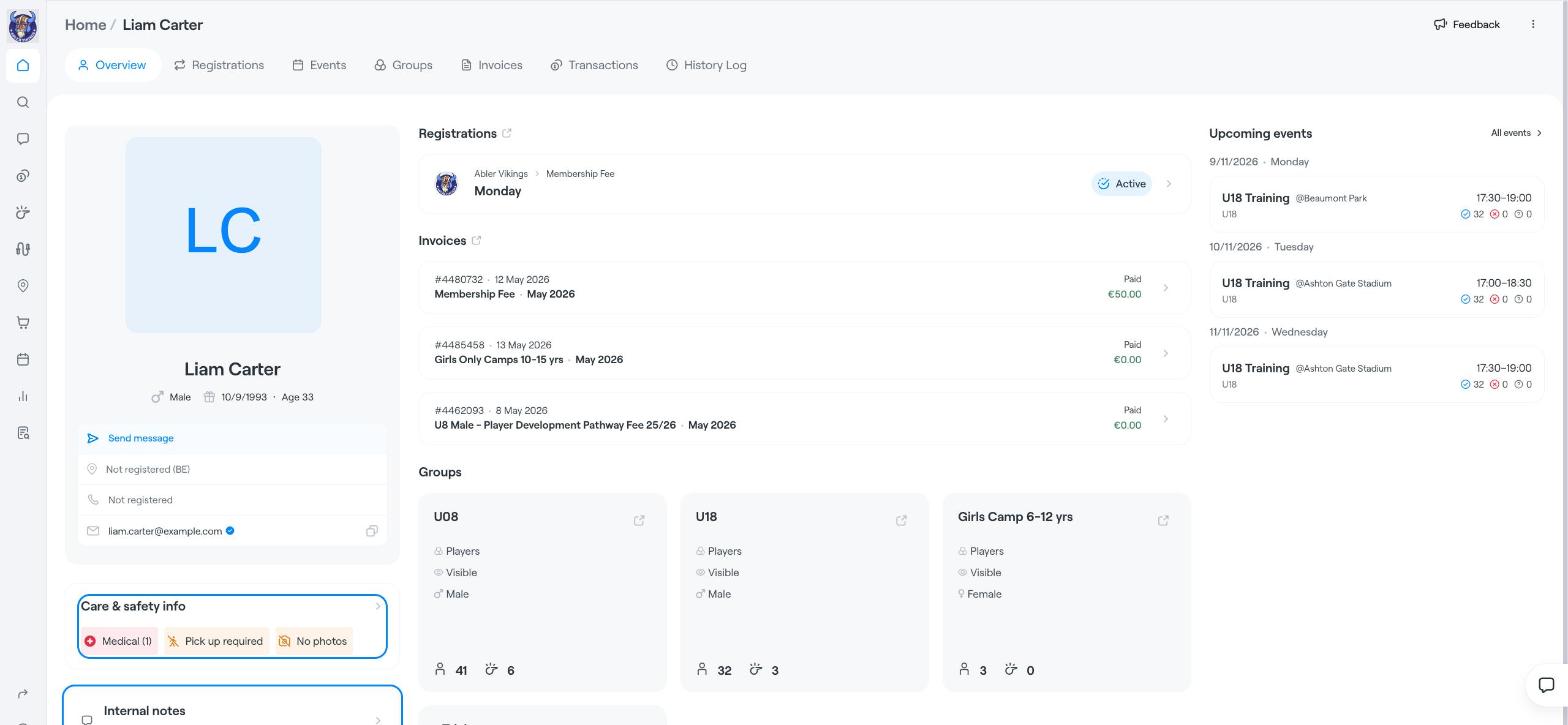
On the overview, click Care & safety info.
You see the member's answers, grouped into sections such as Emergency contacts, Address, Medical condition, Safeguarding, School & learning information and Marketing (image and marketing consent).
To change an answer, click Edit, update the fields and save. You can also click the three dots (⋮) at the top of the member page and choose Edit care and safety info.
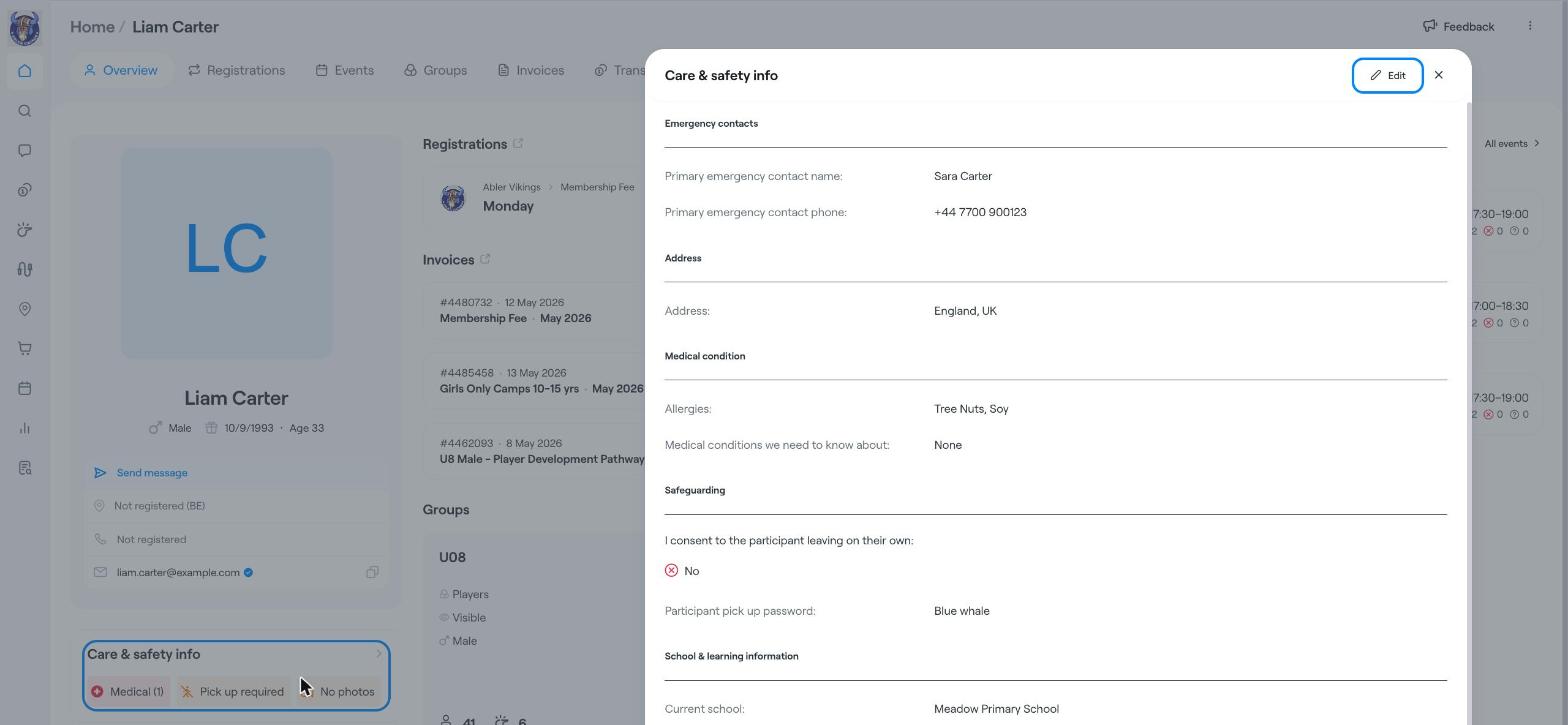
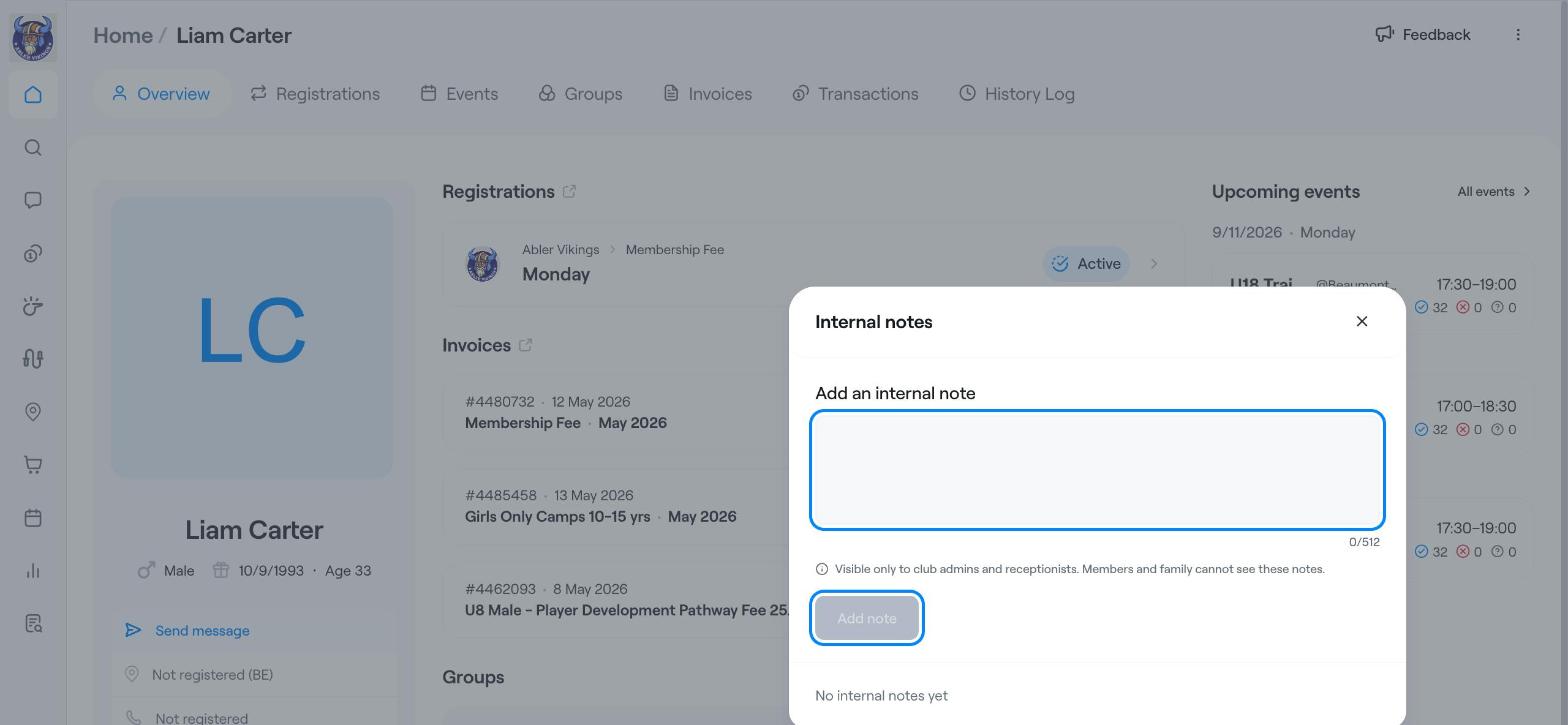
On the overview, click Internal notes.
Type your note under Add an internal note (up to 512 characters).
Click Add note.
Internal notes are visible only to club admins and receptionists. Members and their families cannot see them.
Which questions members answer in the care & safety form is set up by the club. See Care and Safety Information.
Care and Safety Information
Find members, guardians, invoices and more
Members