End a registration
Loading…
When a member stops taking part, end their registration in Askja. You decide what happens to the invoice and whether the member stays in the group.
Example: Liam Carter's family lets you know he is stopping football at Christmas.
The member is leaving the programme.
The member is moving to another option. See Move a member to another option (workaround).
The member was registered by mistake.
Go to Home → Registrations, or open a programme and its Registrations tab.
Find the member. Use Search members if the list is long.
Click the three dots (⋮) at the end of the member's row.
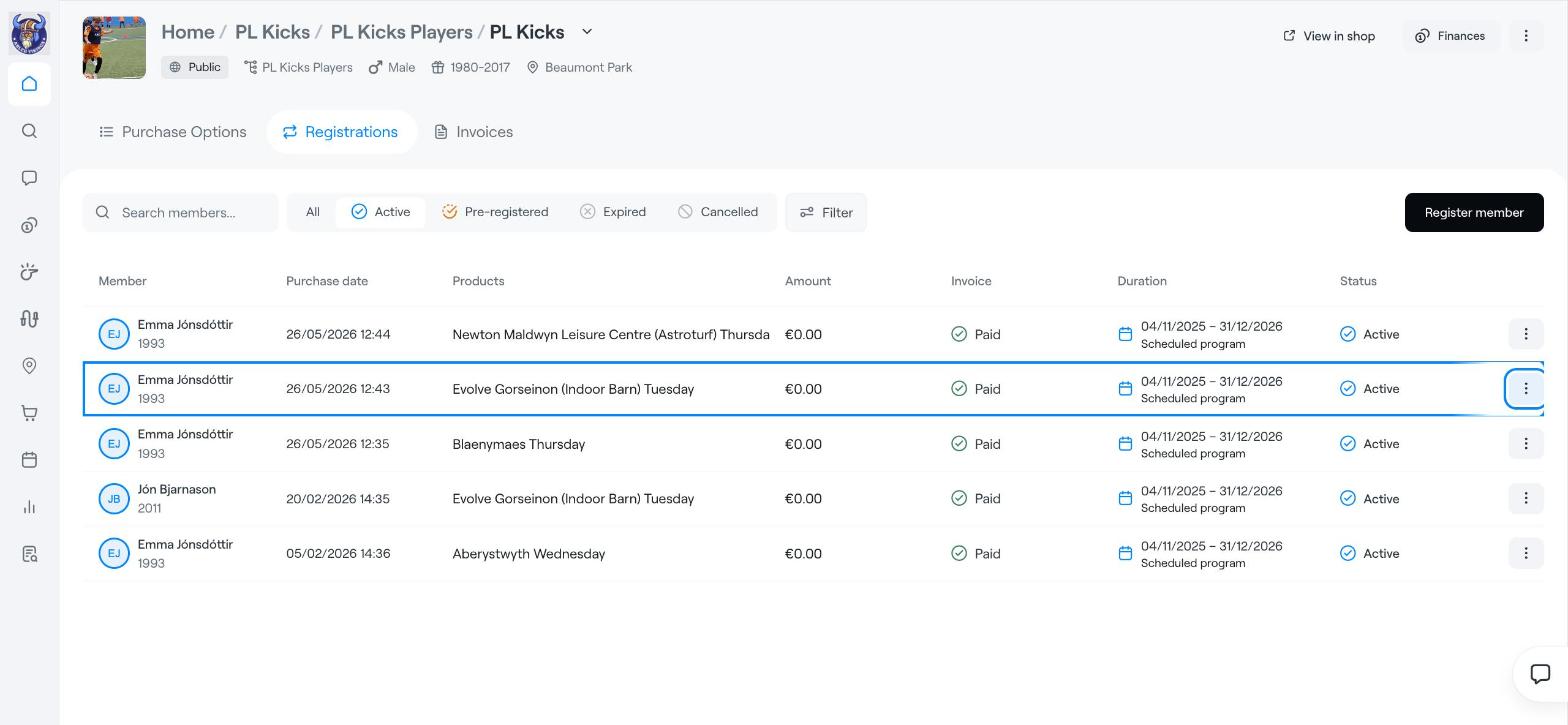
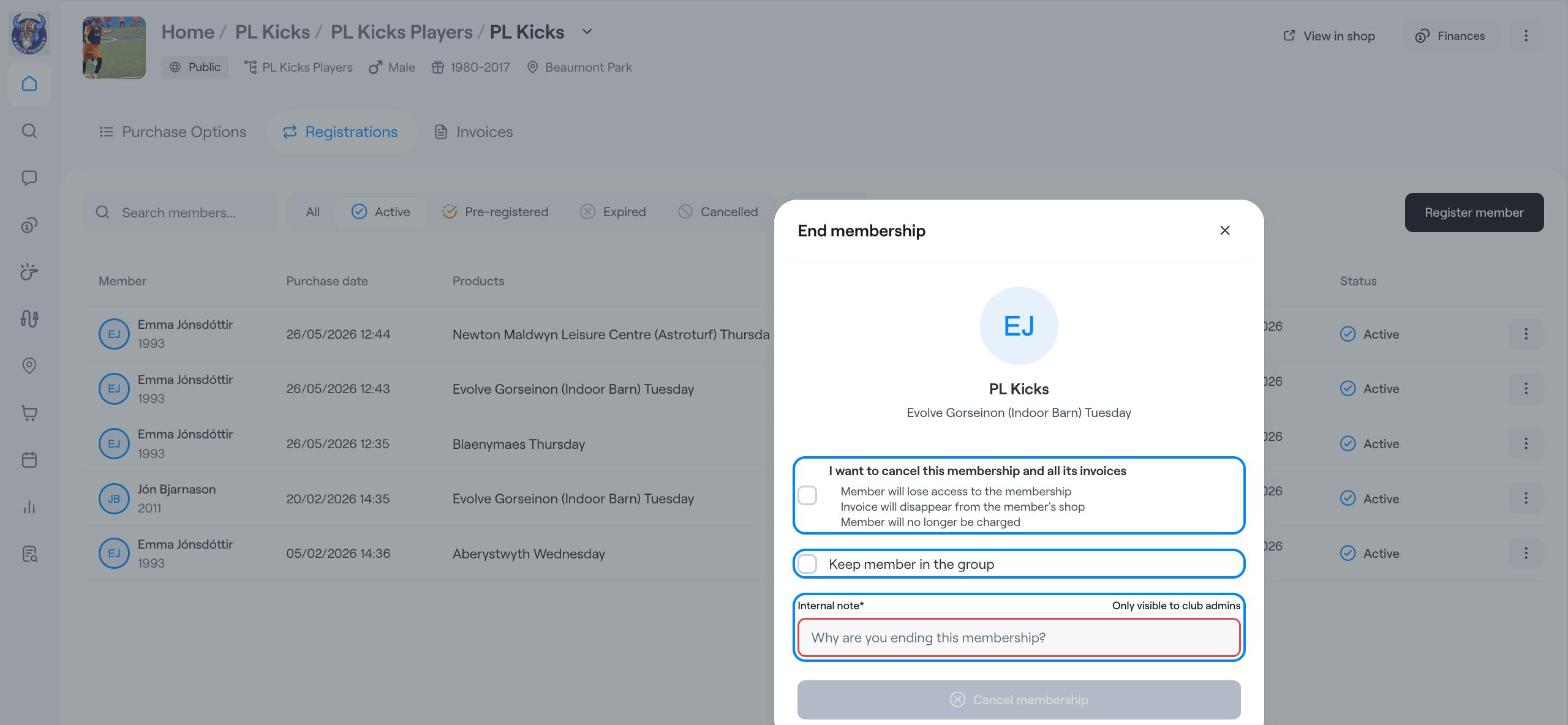
In the menu, choose End registration. The End membership window opens.
Decide what happens to the invoice:
Tick I want to cancel this membership and all its invoices if the member should not pay anything more. The member loses access, the invoice disappears from the member's shop, and they will no longer be charged.
Leave it unticked if the invoice should stay as it is, for example when the member has already paid for the period.
Tick Keep member in the group if the member should still be in the group, for example to receive messages. Leave it unticked to remove them from the group.
Write an Internal note explaining why the registration ends. The note is required and only club admins can see it.
Click Cancel membership.
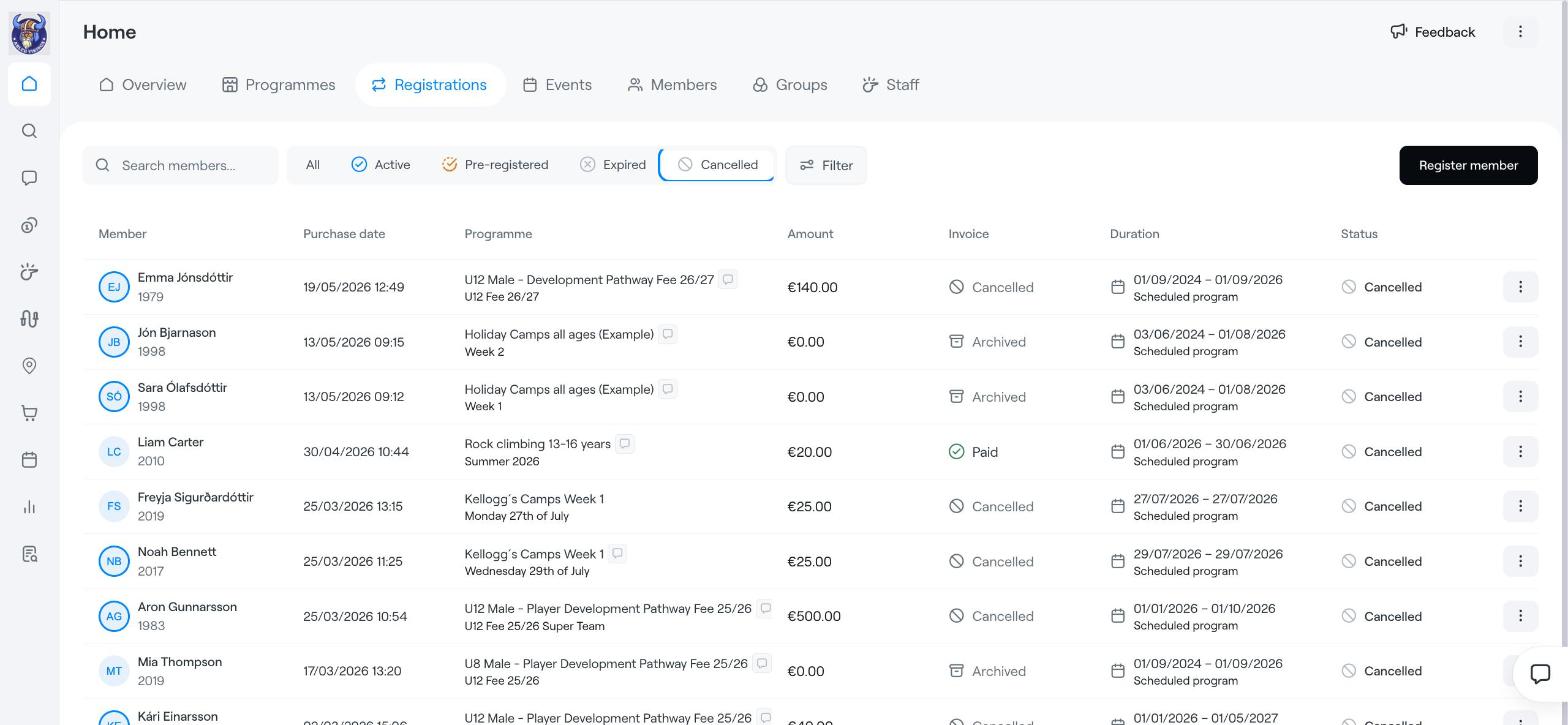
Go back to the Registrations list and click Cancelled at the top. The registration now shows the status Cancelled.
If the member has already paid and should get money back, end the registration first and then refund the payment. See Refund a card payment.
Move a member to another option (workaround)
Find members, guardians, invoices and more
Registration Tab