Edit a registration
Loading…
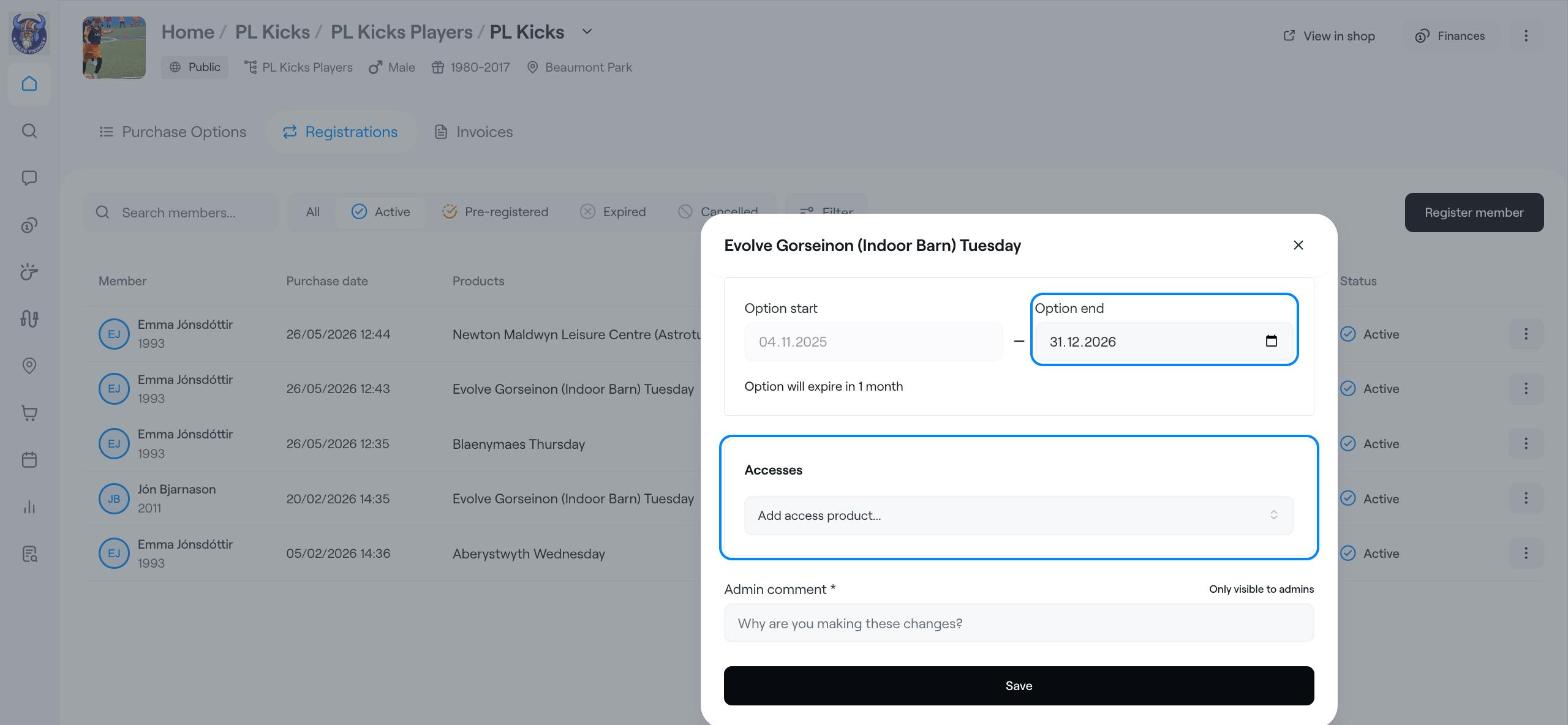
You can change the end date of a member's registration, or give them an access product, without ending the registration.
Example: Emma Jónsdóttir's option ends on 31 December, but she will keep training until the end of January.
Option end: the date the registration ends. The start date cannot be changed here.
Accesses: access products linked to the registration.
To change which option the member is in, see Move a member to another option (workaround). To stop the registration, see End a registration.
Go to Home → Registrations, or open a programme and its Registrations tab.
Find the member and click the three dots (⋮) at the end of the row.
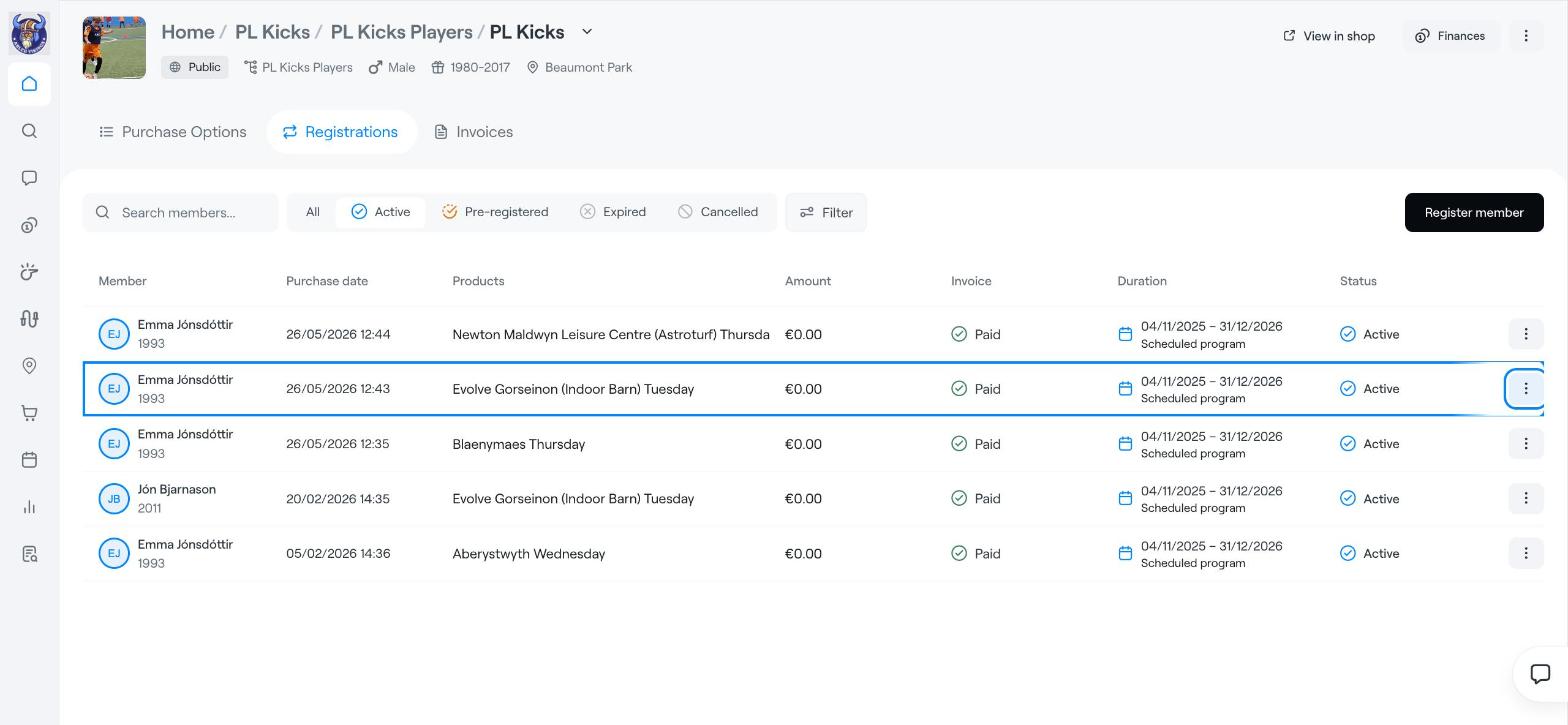
Choose Edit registration. A window with the option name opens.
To change the end date, pick a new date under Option end. Askja shows how long is left before the option expires.
To add an access product, click Add access product… under Accesses and choose one.
Write an Admin comment explaining the change. It is required and only admins can see it.
Click Save.
To see who changed a registration and when, click ⋮ on the registration and choose View audit log.
End a registration
Move a member to another option (workaround)
Registration Tab