Set up certificate types for staff
Loading…
Certificate types decide which certificates your coaches and staff are asked to provide, for example a background check, a safeguarding course or a first aid certificate. You also choose which ones count towards being compliant, and Abler reminds coaches and admins before a certificate expires.
Click the gear icon in the left menu to open Settings, and choose Certificate types.
Turn on Send expiry reminders so the coach and the club's admins are notified before a certificate expires. Reminders are sent 3 months, 1 month, 1 week, 3 days and 1 day before the expiry date. Certificate types that never expire are skipped.
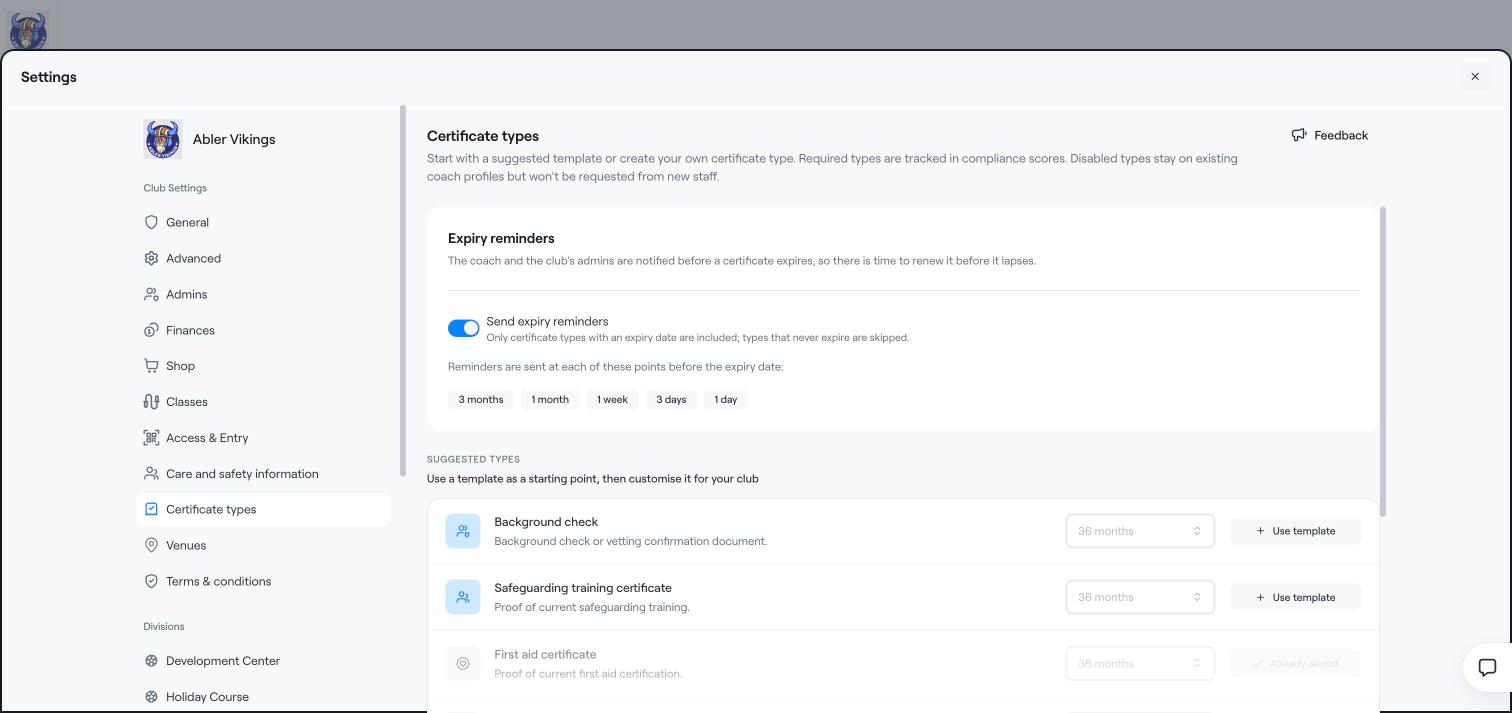
From a template: under Suggested types, choose how long the certificate is valid, for example 36 months, and click Use template. Templates include background check, safeguarding training certificate and first aid certificate.
Your own type: under Your certificate types, click Add certificate type and fill in:
Name and Description.
Required for compliance score: tick this if the certificate is needed for a coach to count as Compliant.
Default validity: for example 24 months. Admins can set another expiry date when they upload a document.
Icon and Icon colour.
Click Add certificate type, then Save.
For each type in the list, turn Required and Enabled on or off. A disabled type stays on existing coach profiles but is not requested from new staff.
Track coach certificates
Staff management overview