Set pay rates and create payroll batches
Loading…
With timesheets in Staff Management you can set hourly pay rates for your coaches and collect their hours into monthly payroll batches. Coaches' logged sessions are added up, admins approve them, and the batch is exported for payroll.
Example: your head coaches are paid €49 per hour and assistant coaches €29 per hour. At the end of October you create a payroll batch for 1–31 October.
Click the coach icon in the left menu to open Staff Management.
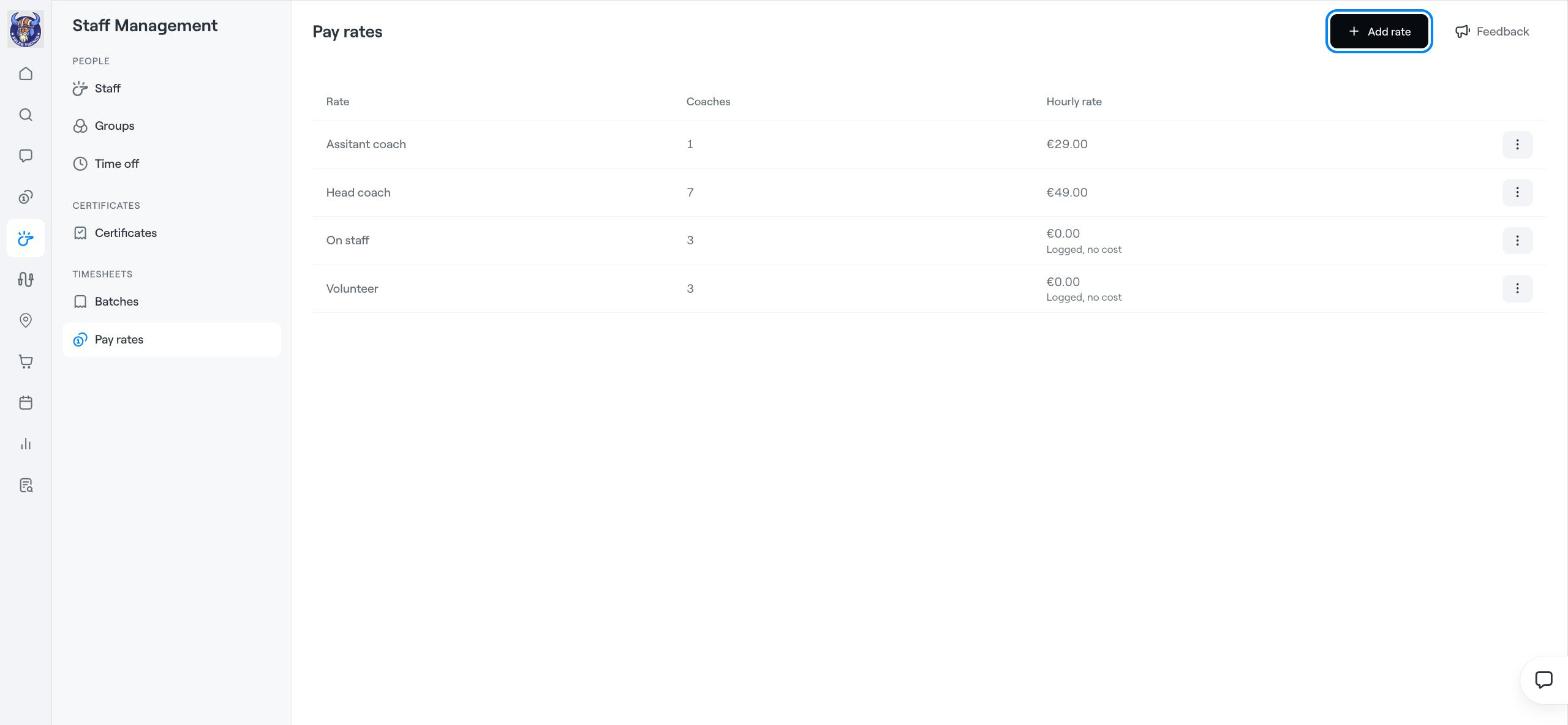
Under Timesheets, choose Pay rates.
Click Add rate, give the rate a name, for example Head coach, and enter the Hourly rate.
Assign the rate to the coaches it applies to.
The list shows each rate, how many Coaches use it and the Hourly rate. A rate of €0.00 is shown as Logged, no cost, which is useful for volunteers or staff on a salary whose hours you still want to record. Click the three dots (⋮) on a rate to change it.
Under Timesheets, choose Batches.
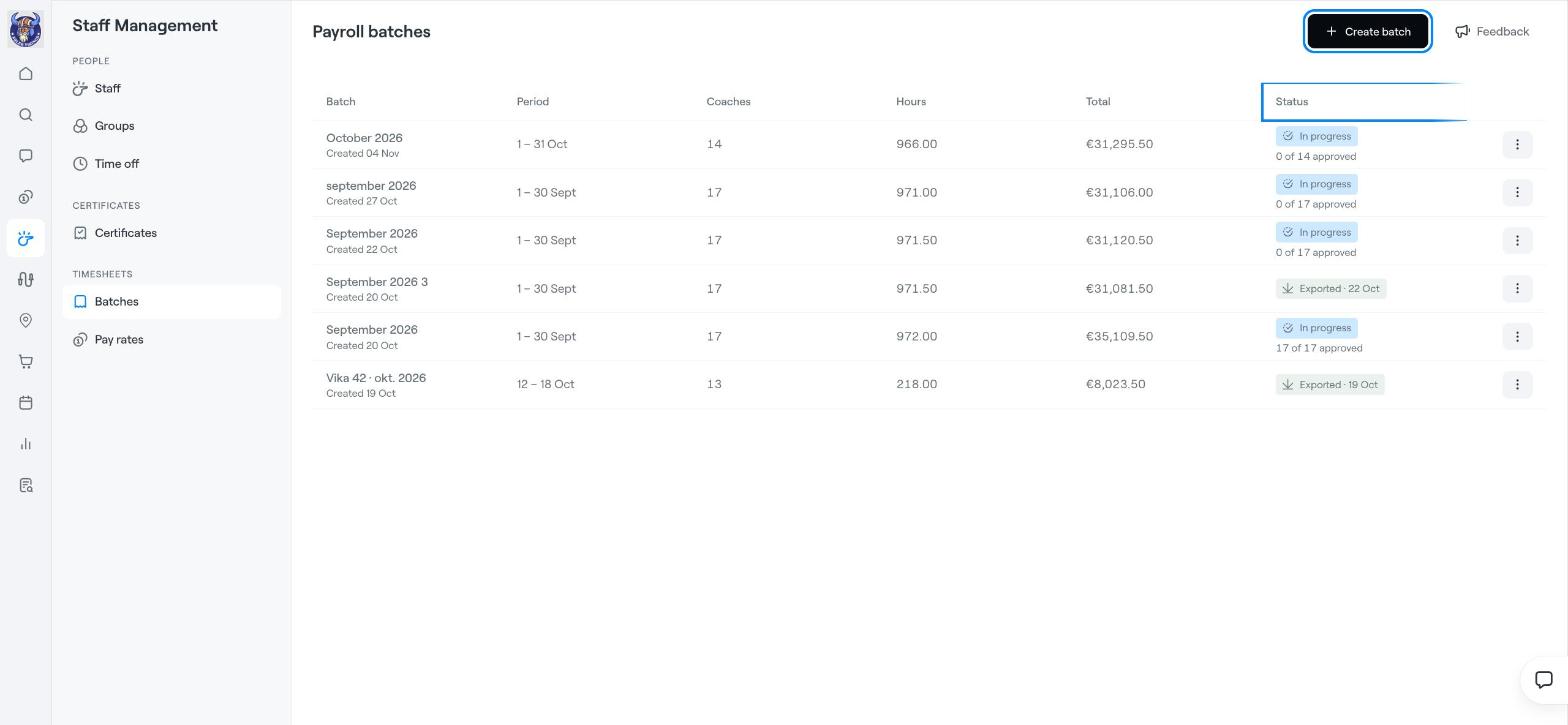
Click Create batch and choose the period, for example 1–31 October.
Each batch shows the Period, the number of Coaches, total Hours, the Total amount and the Status.
Open the batch and review each coach's hours.
Approve the hours. The status shows how many coaches are approved, for example In progress · 0 of 14 approved.
When everything is approved, export the batch for your payroll. The status then changes to Exported with the date.
Name batches clearly, for example October 2026, so it is easy to find the right one later.
Staff management: overview and adding staff
Add Coaches