Reports
Loading…
Under Reports you can pull detailed reports on programmes, events, attendance, check-ins, members and staff attendance, and export them to Excel.
Click the reports icon in the left menu. The tabs at the top are Programmes, Events, Attendance, Entrance, Members and Staff Attendance.
Choose the tab for the report you want.
Click Filter and choose the period, for example This month, and narrow the report by division, category, group, service or option as needed.
Click Submit.
Click Export Excel to download the report. Use Reset filters to start again.
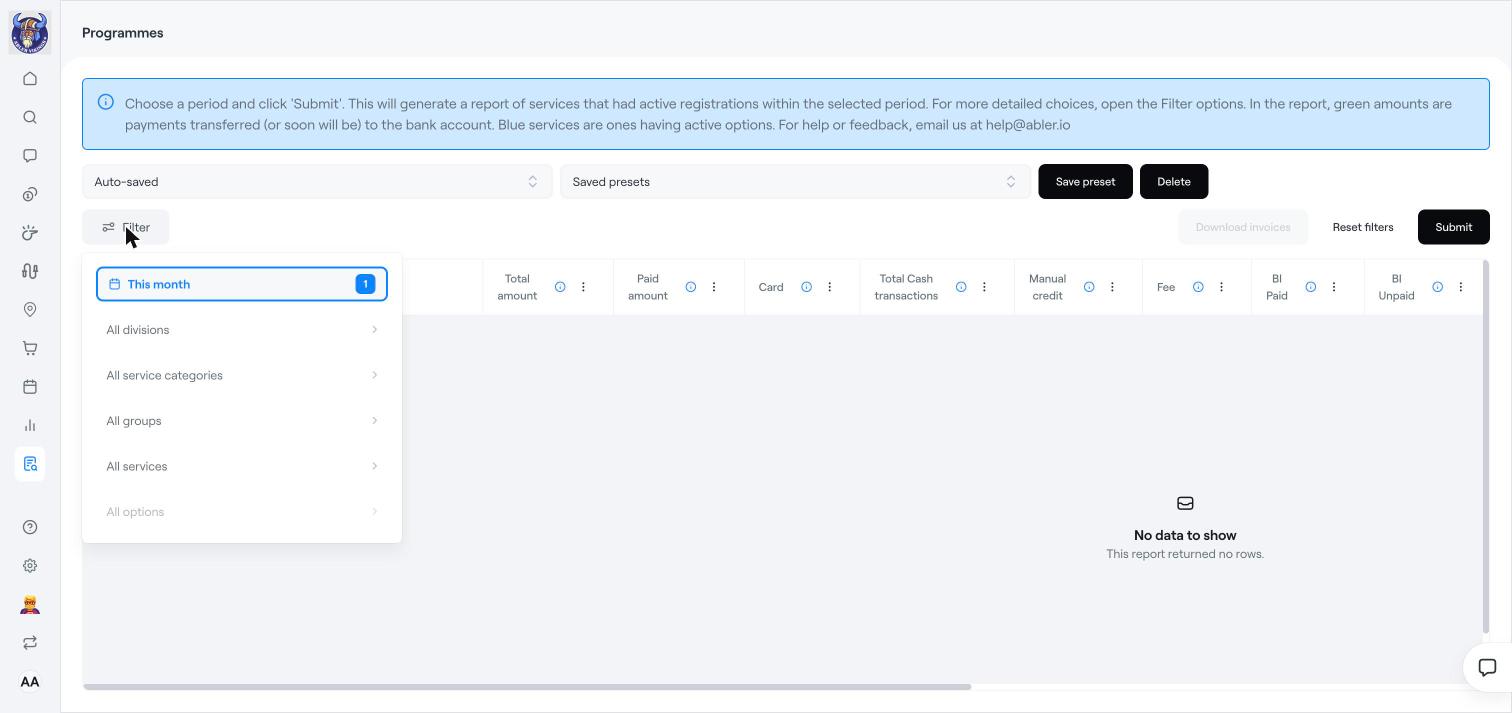
Your last choices are kept automatically (Auto-saved). To reuse a report, set the filters and click Save preset. Choose it later under Saved presets, or remove it with Delete.
Programmes: services that had active registrations in the period, with the total amount, paid amount, card, cash, manual credit, fees, bank invoices (paid, unpaid, overdue), municipality grants (frístundastyrkur), coupons, discounts, write-offs and bank wires. Green amounts are payments transferred, or soon to be transferred, to the bank account. Click Download invoices to download the invoices in the report.
Events: the same financial figures for payable events.
Attendance: each member's attendance per group, with present, absent, late, sick, injured, leave and other. Use Export Detailed Report for every session.
Entrance: check-ins at your terminals, with the terminal, name, time, kennitala and status.
Members: members by division and group. Use Summarize by Group for totals per group.
Staff Attendance: each staff member's hours and attendance at events.
For quick overviews and charts, use Analytics instead. See Analytics: members, finance and staff timesheets.
Analytics: members, finance and staff timesheets
Find and manage invoices
Access and entry: access types, check-in and terminals