Accounting categories
Loading…
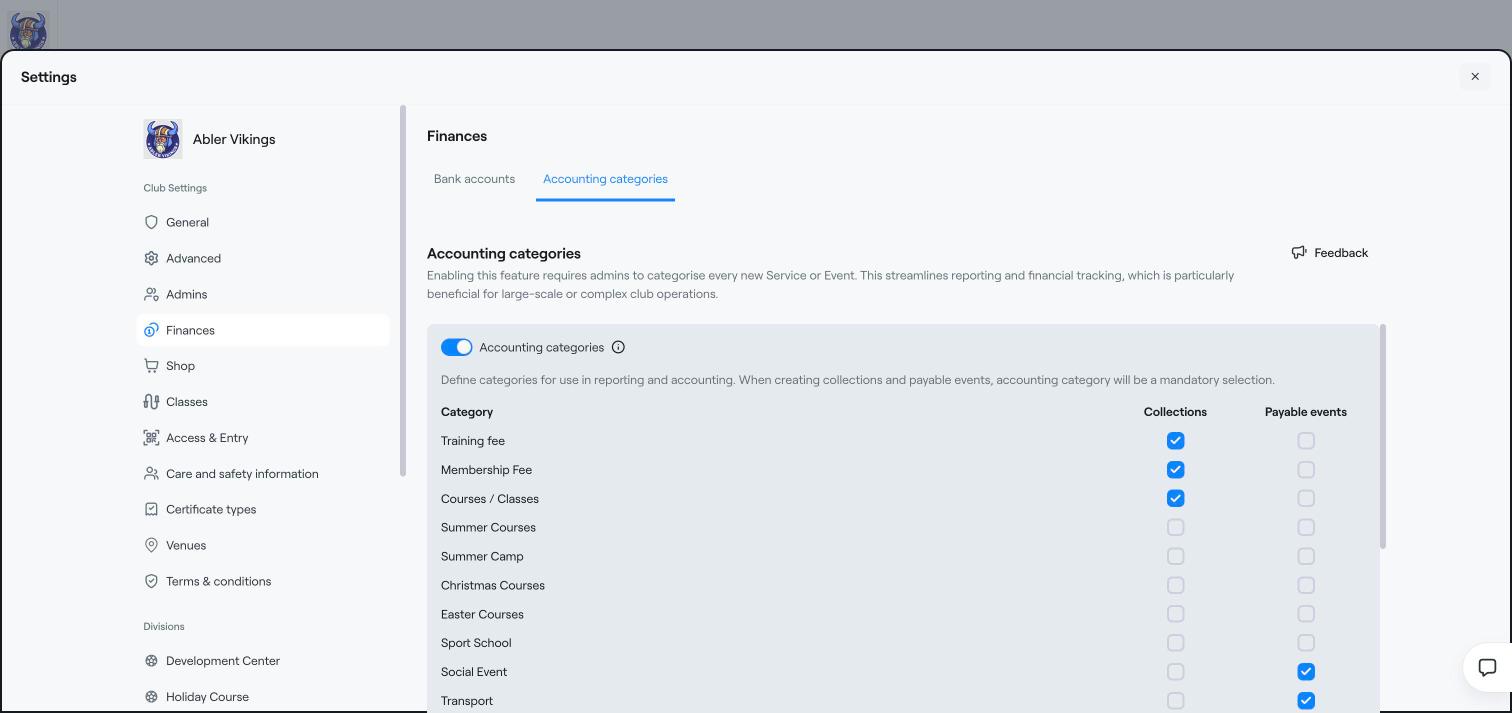
Accounting categories group your programmes and payable events for reporting and accounting, for example Training fee, Membership fee, Summer camp or Social event. When the feature is on, admins must choose a category every time they create a new programme or payable event. This is especially useful for large clubs.
Click the gear icon in the left menu to open Settings, and choose Finances.
Open the Accounting categories tab.
Turn on Accounting categories.
For each category, tick where it can be used:
Collections: programmes and other payments you collect, for example training fees and courses.
Payable events: events members pay for, for example social events and transport.
When you create a programme or a payable event, choose its accounting category. The category then appears in your reports and exports.
Income codes and mapping
Reports
Create a payable event