Set the VAT category for what you sell
Loading…
Everything you sell in Abler (programme options, payable events, shop products and venue bookings) needs a VAT category, so receipts and reports show the right VAT. The VAT page lists everything that has been sold and lets you fix items that are missing a VAT category.
Go to Finance and choose VAT in the menu.
Each row shows the Type (for example Event, Product, MerchOrderLine or Venue booking), the Name, the Division, when it was Last sold, the Status and the VAT category.
Missing VAT: no VAT category has been chosen.
Overridden: a VAT category has been set for this item.
Use Search by name, Status and Division to find the items you need.
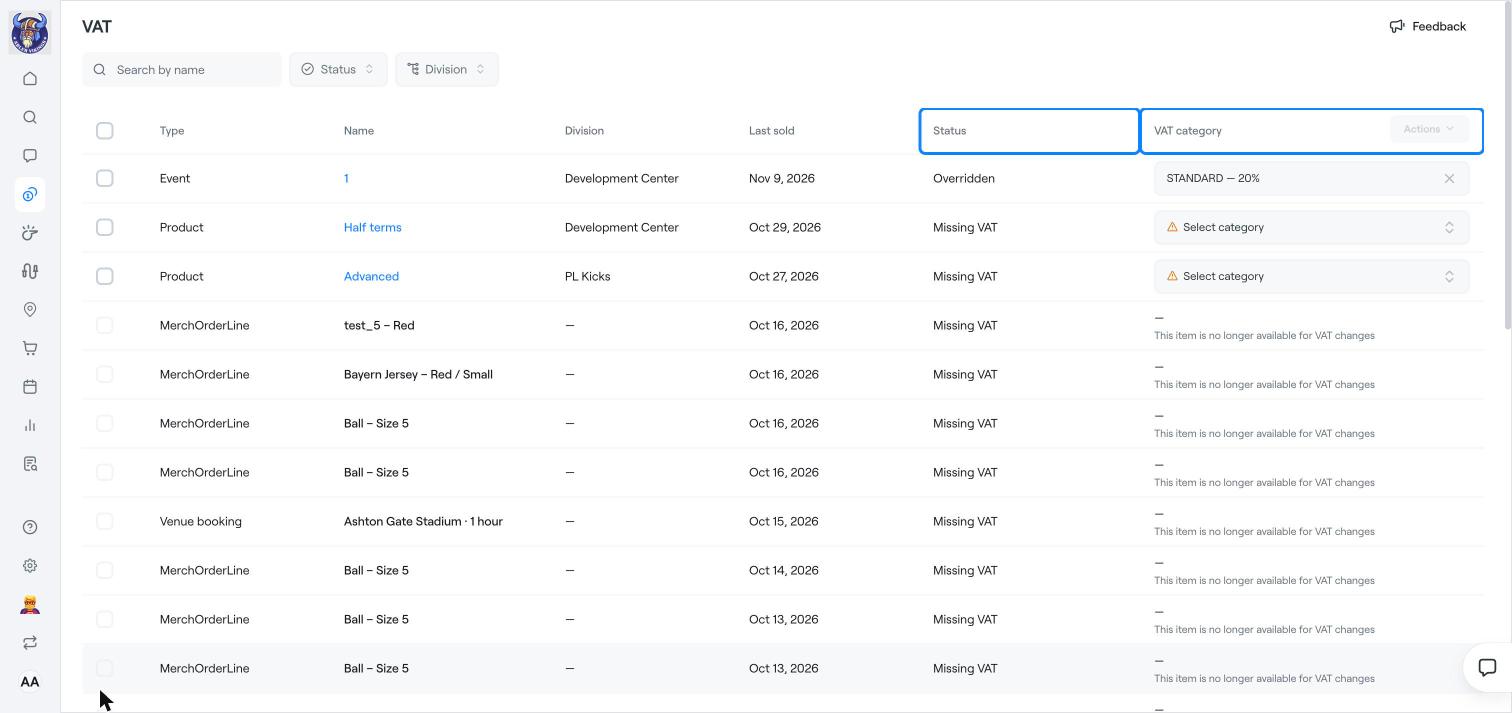
Click Select category on the row and choose the right VAT category, for example STANDARD – 20%.
To change several items at once, tick them and use Actions.
Items that are no longer for sale show This item is no longer available for VAT changes.
When you create a shop product, you choose the VAT category in the product form. See Add products, variants and stock.
For venues, you set VAT under Availability and pricing. See Set up a venue.
If you are unsure which VAT rate applies, ask your accountant.
Income codes and mapping
Accounting categories
Add products, variants and stock