Publish daily workouts
Loading…
Under Weekly schedule you write the workouts members see in the Abler app, for example the workout of the day. Each workout belongs to a category and can be written for several levels, and you choose when members first see it.
Example: you publish Monday's "Morning WOD" for the levels Beginner and Advanced, visible to members from 18:00 the day before.
Click Classes plan in the left menu.
Under Workouts, choose Weekly schedule.
Each category is listed with its levels and how many days of the week have a workout. Click a category to see each day. Use Today and the arrows to change week.
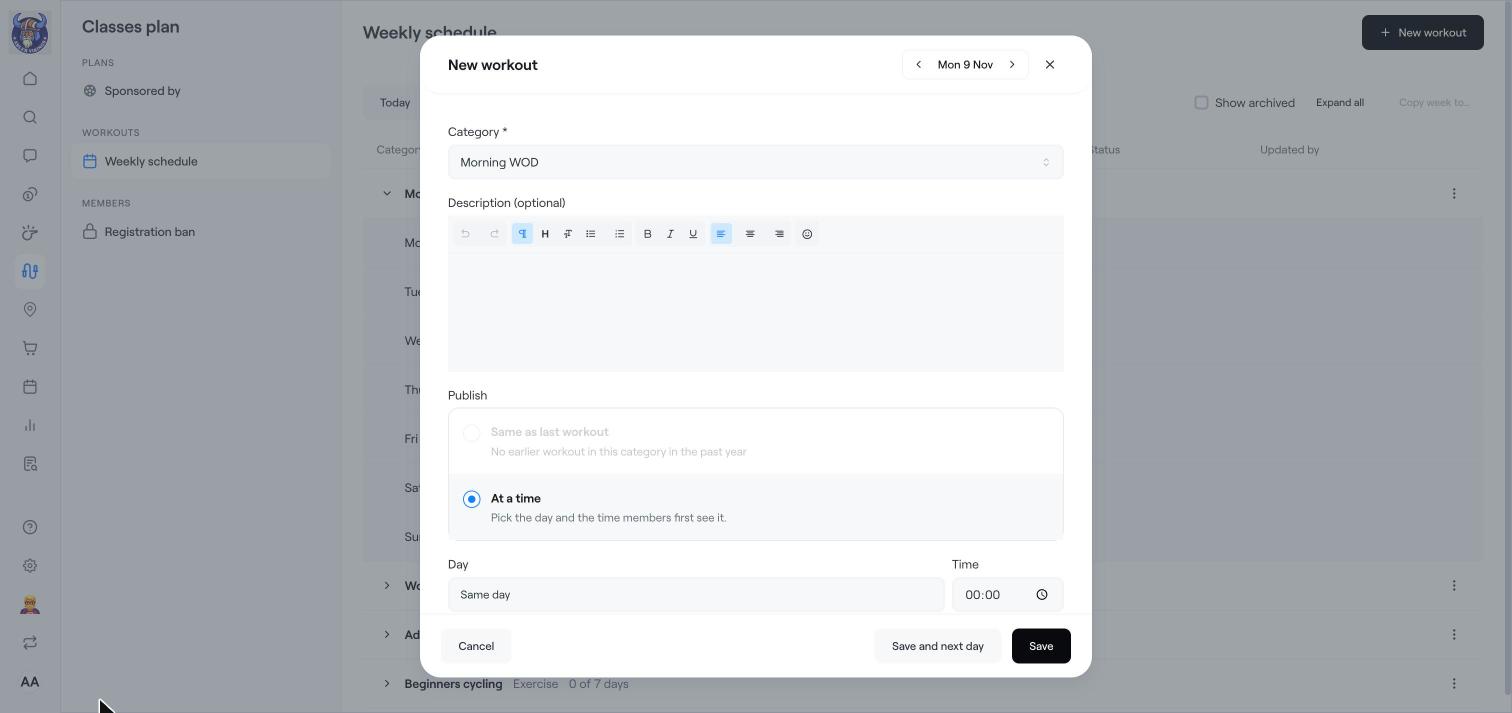
Click New workout, or Add next to a day in a category.
Choose the Category and, if you like, write a Description.
Under Publish, choose when members first see the workout: Same as last workout, or At a time with a Day (same day, day before or two days before) and a Time.
Under Levels, write the workout for each level. Add a Custom level if you need one.
Click Save, or Save and next day to go straight on to the next day.
Click Copy week to… to copy all the workouts in the week to another week. Tick Show archived to see older workouts.
Publish workouts the day before so members can plan their training.
Create a classes plan
Classes settings and registration ban