Classes settings and registration ban
Loading…
In the classes settings you choose your club's public classes page, turn workouts and registration bans on or off, and limit how many classes a member can book per day.
Click the gear icon in the left menu to open Settings, and choose Classes.
Under General, the Classes link is the address of your club's public classes page, for example abler.io/classes/yourclub. Click the copy icon to copy it, or Preview to see the page. Changing the link breaks any existing links to the page.
Registration ban: turn on to be able to block members from booking classes, for example members who often book and don't show up. Members with a ban are listed under Classes plan → Registration ban, and the ban is shown on the member's access card.
Workouts: turn on to add workouts (workout of the day) to classes. See Publish daily workouts.
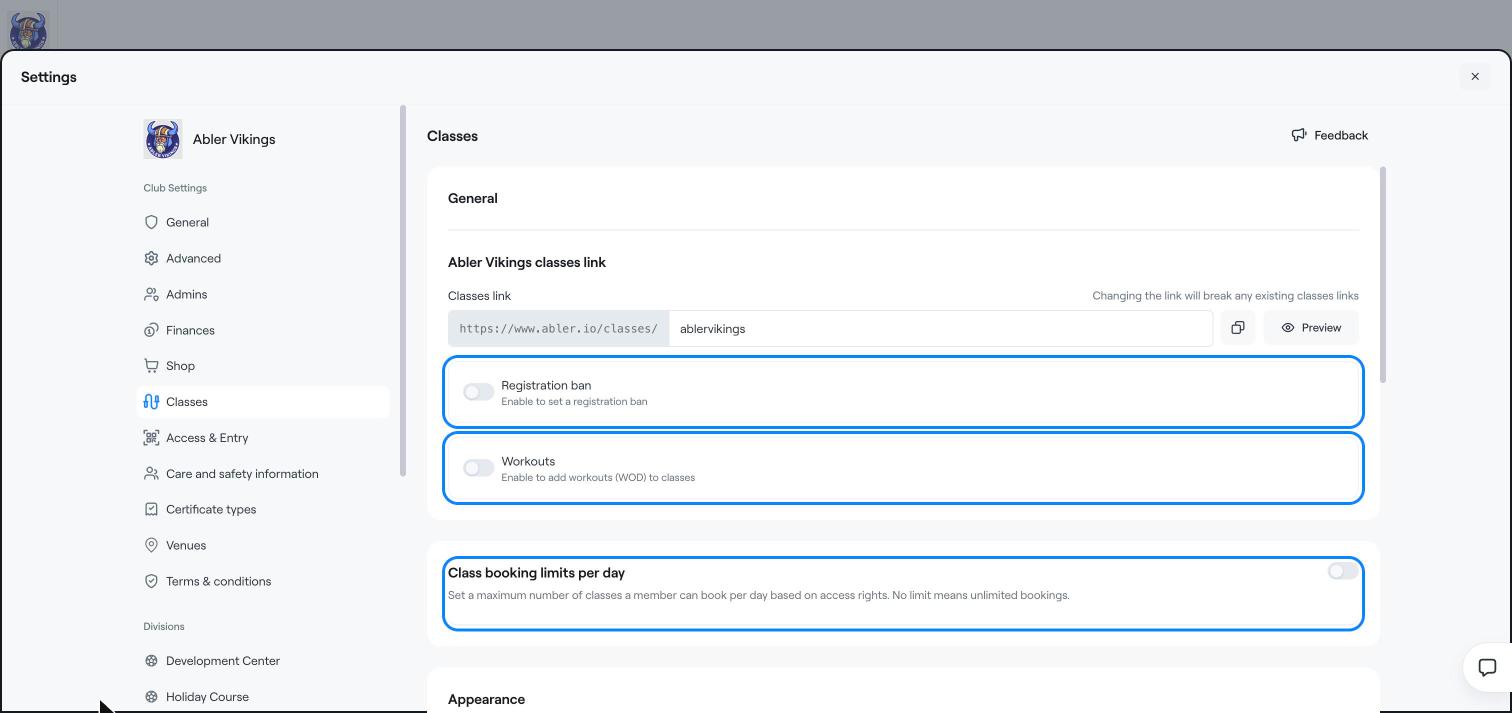
Turn on Class booking limits per day to set the maximum number of classes a member can book per day, based on their access rights. No limit means unlimited bookings.
Your classes page uses the club's colour and logo from Settings → General. You can set a different colour and logo for a division in its division settings.
Click Classes plan in the left menu.
Under Members, choose Registration ban. Use Filter to find a member.
Create a classes plan
Publish daily workouts