Create a classes plan
Loading…
A classes plan is a weekly timetable of bookable classes, for example spinning, yoga or CrossFit. Members book a place in each class in the Abler app, and you control when booking opens and closes, how many can attend and who can book.
Example: a spinning class every Monday at 08:20 with room for 20 people, where booking opens the day before.
Click Classes plan in the left menu.
Under Plans, choose the division the classes belong to.
Click Create new.
On the left, under Settings:
Class name: for example "Morning spin".
Class info: a short description members see in the app.
Location: where the class takes place.
Age group: the group the class belongs to.
Access: which memberships give access to the class, for example a gym subscription.
Workout: the programme the class is linked to.
Registration message: a message members see when they book.
Click the weekly calendar at the day and time the class starts. A class block is added, for example MON 08:20 – 09:20.
In the panel that opens, choose the Coach.
Set Registration open (for example 1 day before) and Registration close (for example 1 hour before). The Registration timeline shows when booking opens, closes and when the class starts.
Tick Cancellation deadline if members can only cancel until a set time before the class.
Set Min participants and Max participants, and optionally a Subgroup.
Click Done. Repeat for each class in the week. You can copy, cut or delete a class block from its menu.
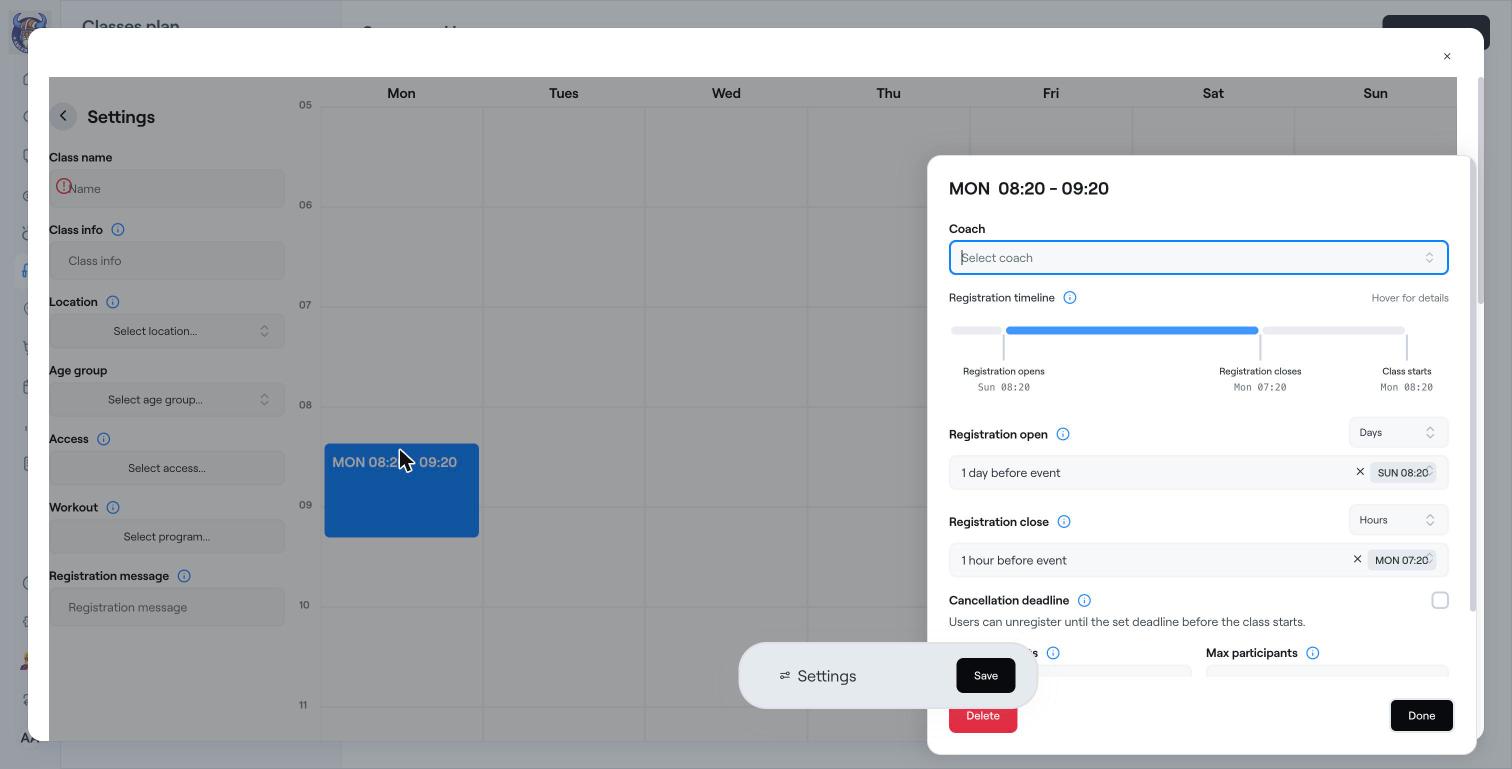
Click Save. The classes appear in the Abler app and members with the right access can start booking.
Deleting a classes plan cancels all upcoming classes in it. This cannot be undone.
See all classes for the week under Classes plan → Weekly schedule.
Members who keep missing classes can be blocked from booking. See Classes settings and registration ban.
Publish daily workouts
Classes settings and registration ban
Book and cancel a class (for members)