Venue booking reports
Loading…
Reports show how your venues are used: how many bookings you have, how much has been paid, and which venues are busiest.
Click the venue icon (map pin) in the left menu to open Venues Booking, and open the Reports tab. Choose This week or This month at the top right.
Bookings: the number of bookings, with how many are pending or cancelled.
Payments collected: the amount paid and the number of paid bookings.
Pending value: the value of bookings awaiting confirmation.
Hours booked: total hours, with the average price per booking.
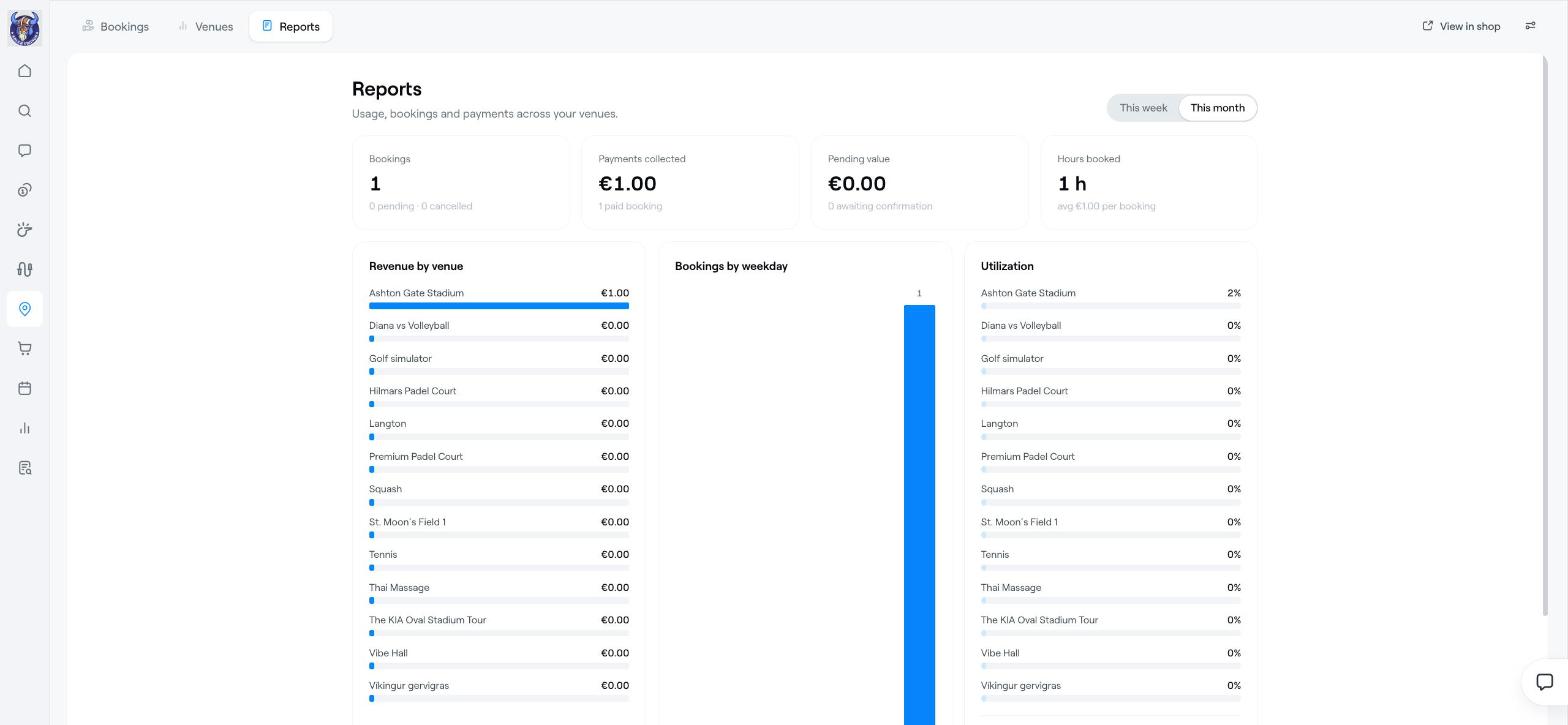
Revenue by venue: how much each venue has earned.
Bookings by weekday: which days are busiest.
Utilization: the share of available time that is booked at each venue.
Booking status: for example confirmed, pending or cancelled.
At the bottom, Bookings by venue and Venue utilization show the figures per venue. Click Excel on a table to download it.
Low utilization on certain days? Add a price rule with a lower price at quiet times. See Set up a venue for online booking.
Set up a venue for online booking
Venue booking: the bookings calendar and managing bookings