See all events in the club schedule
Loading…
The Schedule shows every training, match, event and venue booking in your club in one calendar. Use it to see what is happening where, spot clashes and find free time on a pitch or in a hall.
Click the calendar icon in the left menu. The schedule opens on the current week.
Venues: on the left, tick the venues you want to see, or Select all venues. Use Search venues… to find one quickly. Each venue has its own colour.
Only show my events: tick this to see only the events you are part of.
Filter: narrow the schedule further.
Day or Week, and the arrows or Today to move between dates.
Calendar: events in a weekly grid.
Timeline: events on a timeline.
By venue: one column per venue, useful for finding free slots.
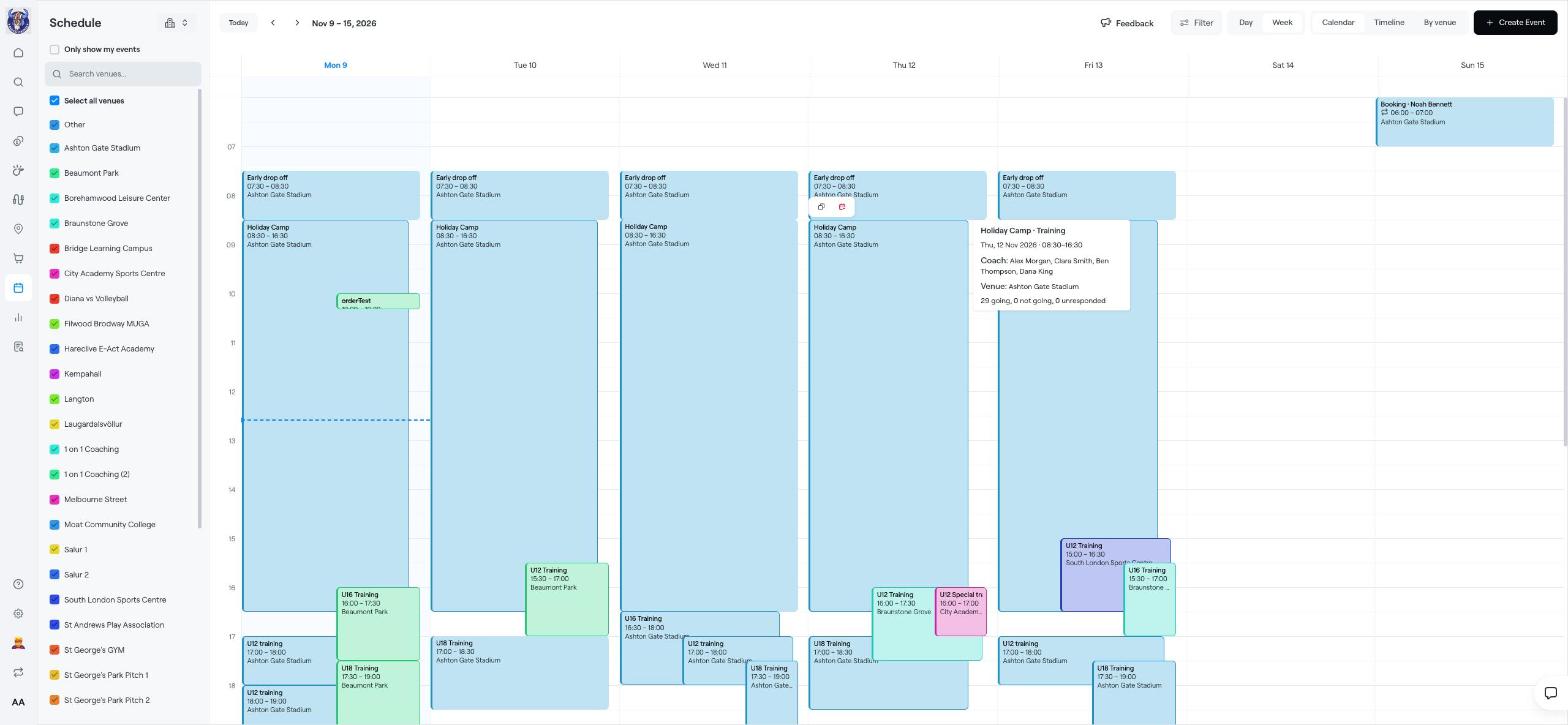
Hover over an event to see its type, date and time, coaches, venue and how many people are going, not going or have not answered. Click the event to open it.
Click Create Event in the top-right corner to add a training, match or other event. See Create event.
Before you plan a new training time, switch to By venue to check that the pitch or hall is free.
Create event
Edit, cancel or delete an event
Add Venues