Edit division settings
Loading…
Each division (for example football, handball or a holiday course) has its own settings: name, logo and colour, payout bank account, shop, classes, entrance and terms. Here you can also archive a division you no longer use.
Click the gear icon in the left menu to open Settings.
Under Divisions, choose the division.
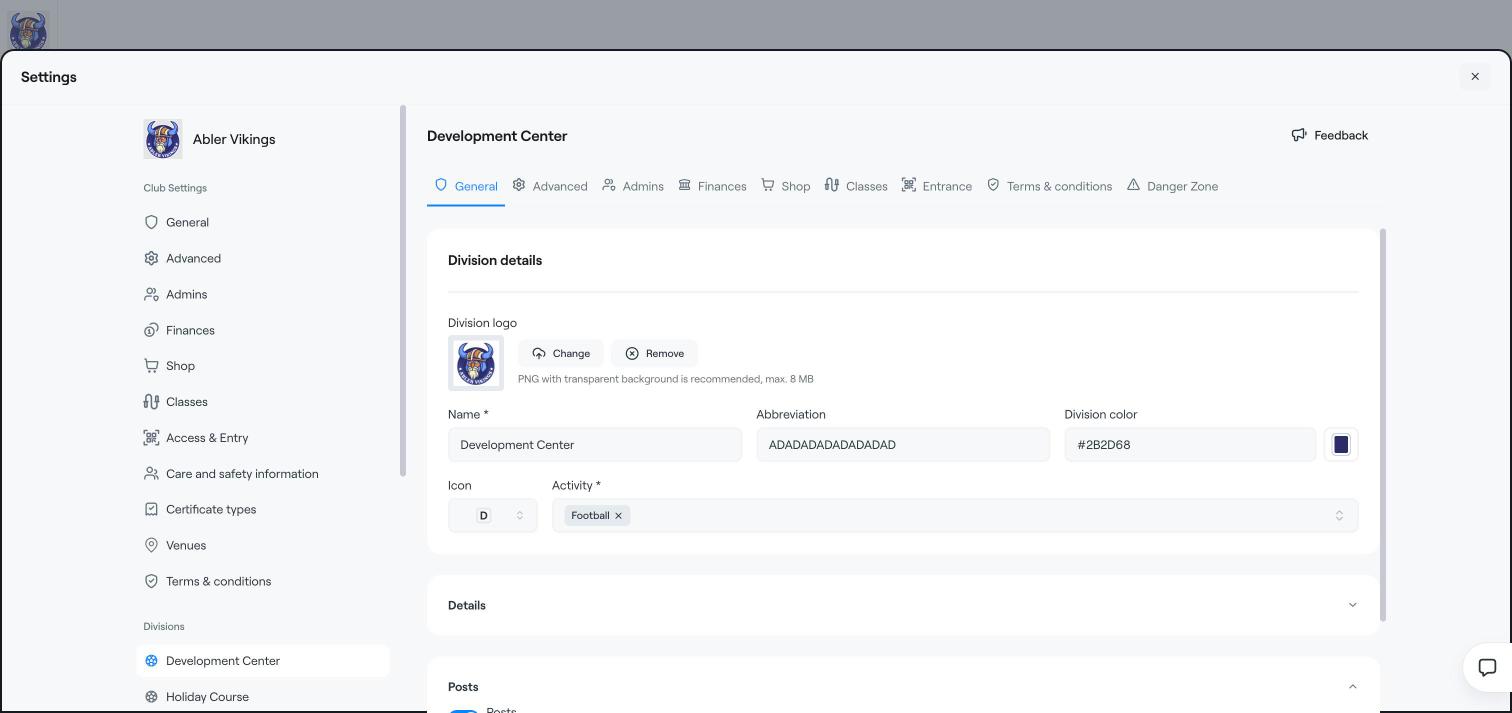
General: the Division logo, Name, Abbreviation, Division color, Icon and Activity (sport). Under Posts, choose whether the division can share posts with its members.
Advanced: features for this division.
Admins: admins who only have access to this division.
Finances: the division's Bank accounts, which groups each account is used for, the card payment provider and the transaction fee. Click Add a bank account to add one.
Shop: how the division looks in the club shop.
Classes and Entrance: settings for classes and check-in in this division, for example its own colour and logo on the classes page.
Terms & conditions: terms that apply only to this division.
Click Save after making changes.
Open the Danger Zone tab.
Click Archive division.
The division and its groups stop appearing across the club. You can restore it later from the divisions list.
Create a division
Connect your bank account
Terms and conditions