Discount Coupon (Multi Use)
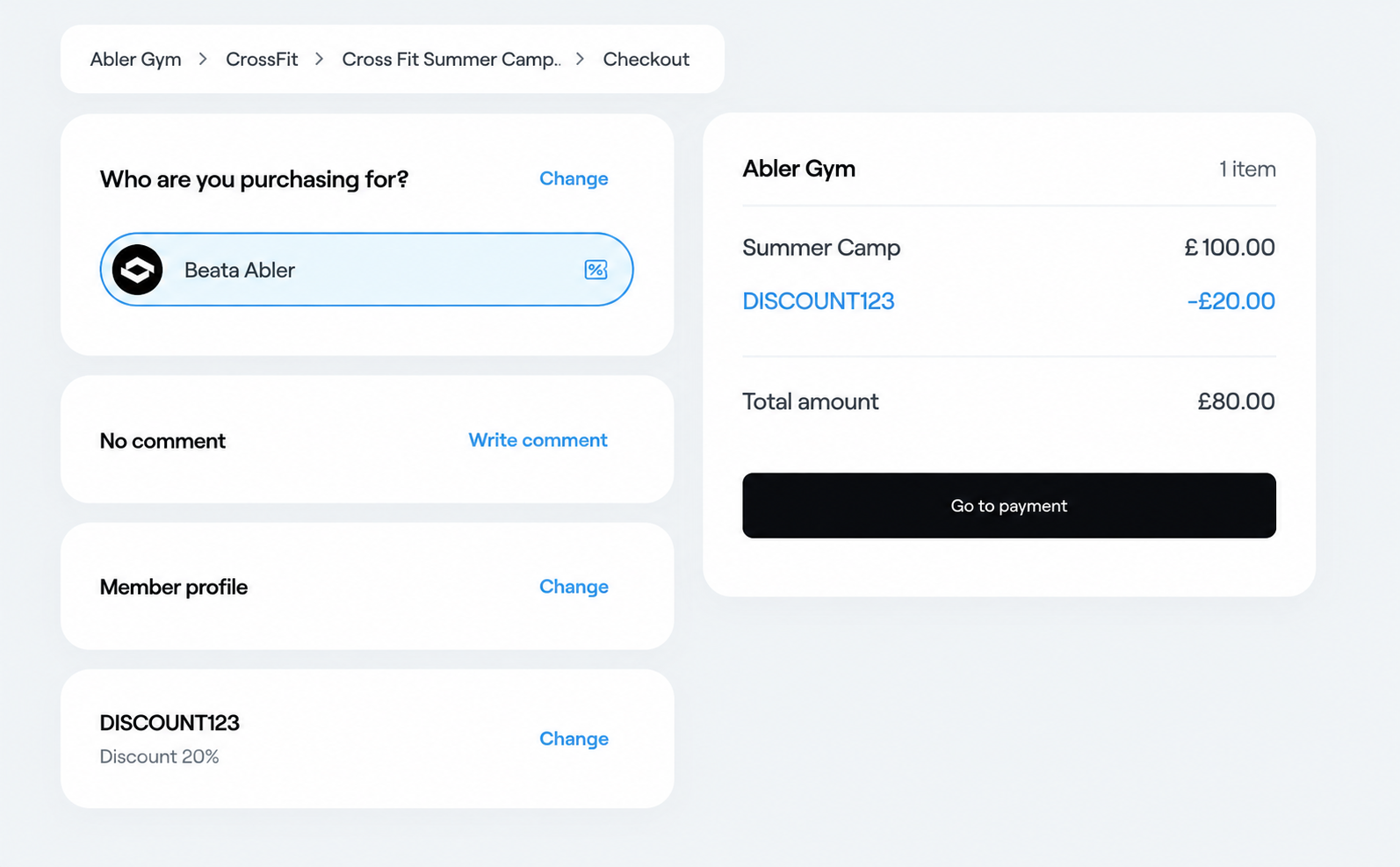
With Abler, you can create discount codes that customers can enter at checkout to receive a discount on selected programmes. Discount codes can help you promote your programmes, attract new customers, and offer special pricing.
How to create a discount code
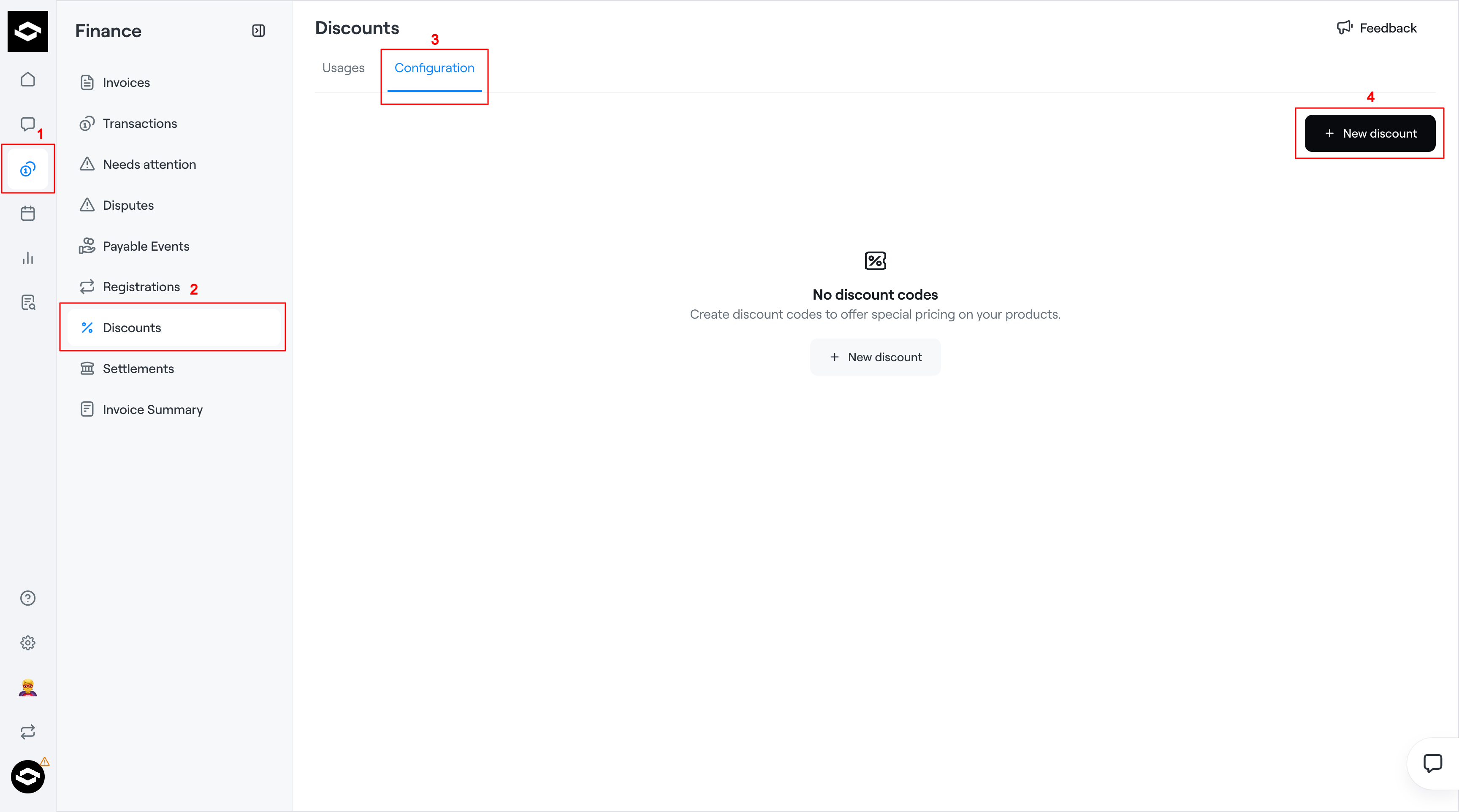
Go to Finance in the left-hand menu.
Select Discounts.
Open the Configuration tab.
Click + New discount.
The Create Discount window will open.
Step 1: General
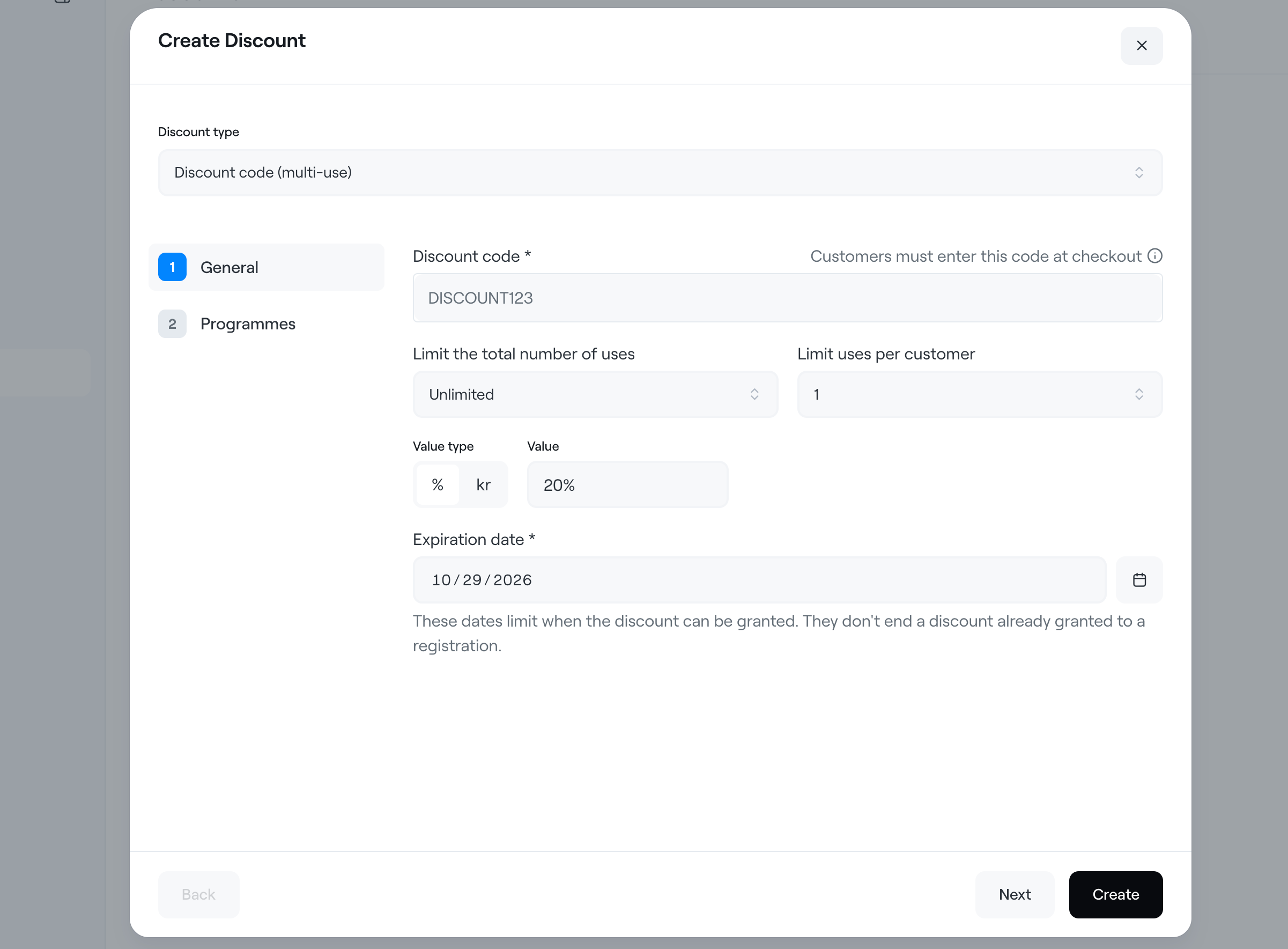
Under Discount type, select Discount code (multi-use).
Fill in the following fields:
Discount code: Enter the code customers will use at checkout (e.g. SAVE10).
Limit the total number of uses: Choose Unlimited or set a maximum number of times the discount code can be used.
Limit uses per customer: Specify how many times each customer can use the code.
Value type: Choose between a percentage (%) discount or a fixed amount (kr).
Value: Enter the discount amount or percentage.
Expiration date: Select the date when the discount code will expire.
Note: The expiration date determines how long the discount code can be applied to new registrations. It does not remove discounts already granted to existing registrations.
Step 2: Programmes
Click Next to open the Programmes section.
Select the programmes to which the discount code should apply.
Click Create to save your discount code.
Your discount code is now ready to share with customers.
Sharing your discount code
Once created, you can share your discount code with customers through email, social media, or your website.
Customers can enter the code during checkout to receive the discount on eligible programmes.
Make sure to communicate any usage limits or expiration dates when promoting your discount code.