Access Rights in Abler
Loading…
Access Rights in Abler
In Abler, you can control what access an employee has. Access rights are divided into the following categories:
Administrator and payment rights: For club administrators who need an overview of the entire club.
Payment rights: For coaches who need to charge for tournaments via Abler Pay. Done through divisions rather than the club.
Administrator rights: For head coaches who should not be able to see payments.
Bookkeeper rights: Grants access to the bookkeeping tab under Payments. A bookkeeper can create batches, set up accounting codes and retrieve accounting data.
Administrator, payment and bookkeeper rights: Grants full access to payments and an overview of the entire club or division.
Coach rights: Grants coaches/teachers/instructors access to a specific group. See more here
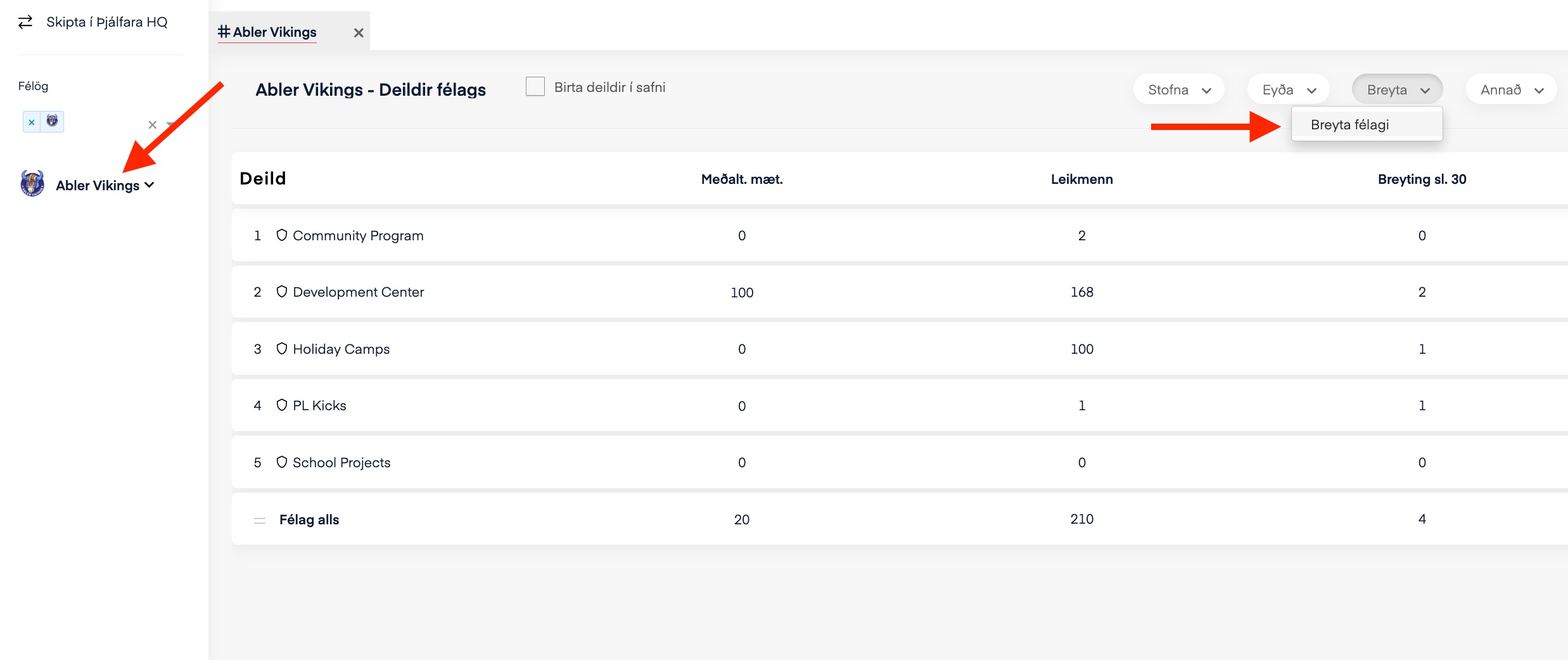
Go to the club itself and click Edit club.
In the window that opens, select Administrators.
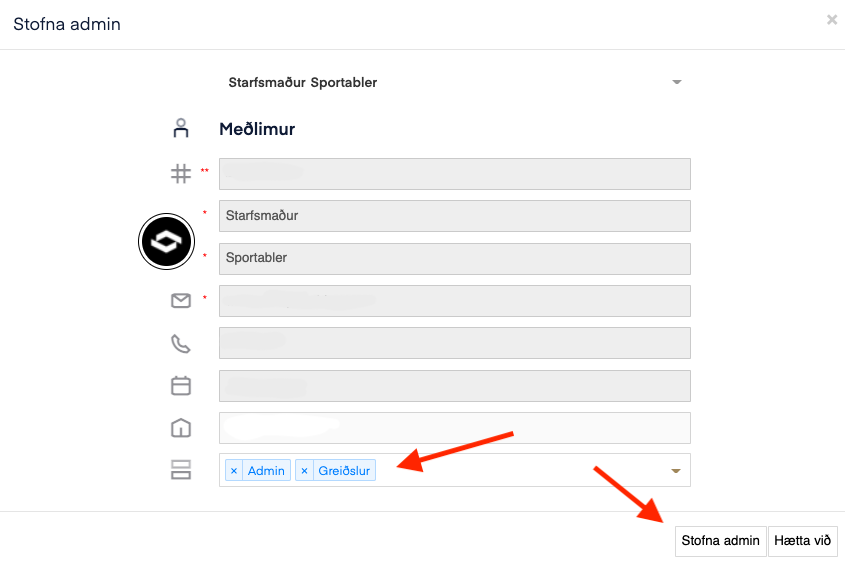
Enter the employee's e-mail address.
Select the appropriate rights as described above.
Click Create admin to confirm.
The employee needs to log out and back in for the change to take effect. If the employee does not have an Abler account, they will receive an invitation to their e-mail address to create one.
Go to the relevant division, click service overview and then Edit division.
In the window that opens, select Administrators.
Enter the employee's e-mail address.
Select the appropriate rights.
Click Create admin to confirm.
The employee needs to log out and back in for the change to take effect. If the employee does not have an Abler account, they will receive an invitation to their e-mail address to create one.
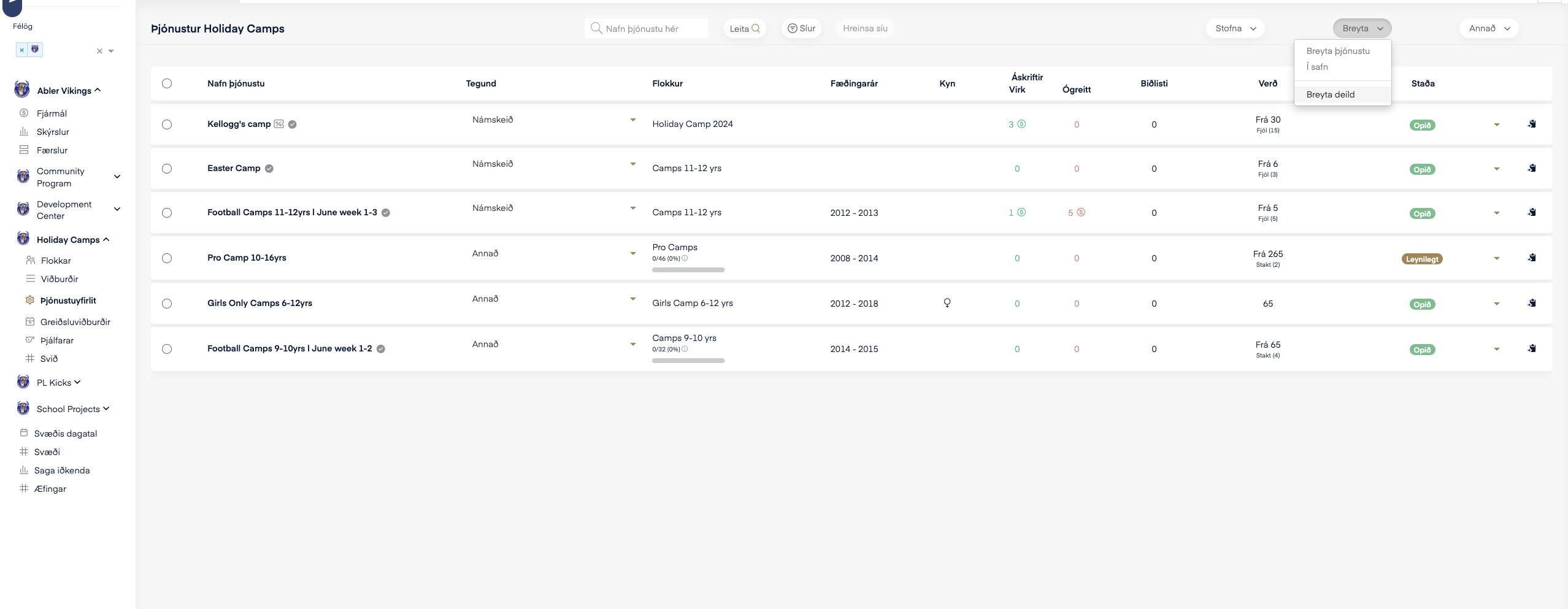
Go to the relevant division, click service overview and then Edit division, just as in the example above.
In the window that opens, select Administrators.
Enter the coach's e-mail address
Select "Payments" as the rights.
Click Create admin to confirm.
The employee needs to log out and back in for the change to take effect.