Update my card information
You can update or change your credit or debit card in Abler to ensure your payments are processed smoothly. Simply follow the steps to replace an existing one in your account settings.
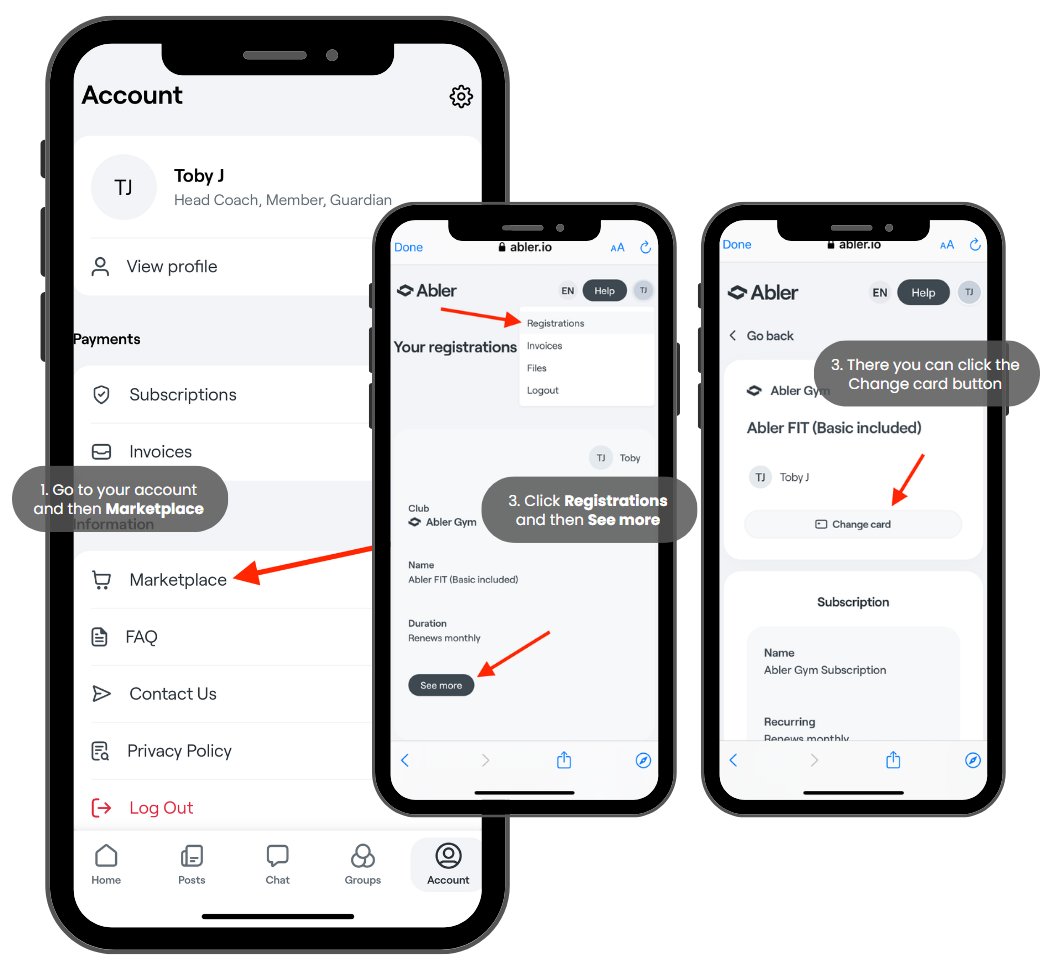
In app
1. Go to your account and then click on Marketplace
2. Click on Registrations in the top right corner and then See more
3. There you can click the Change card button
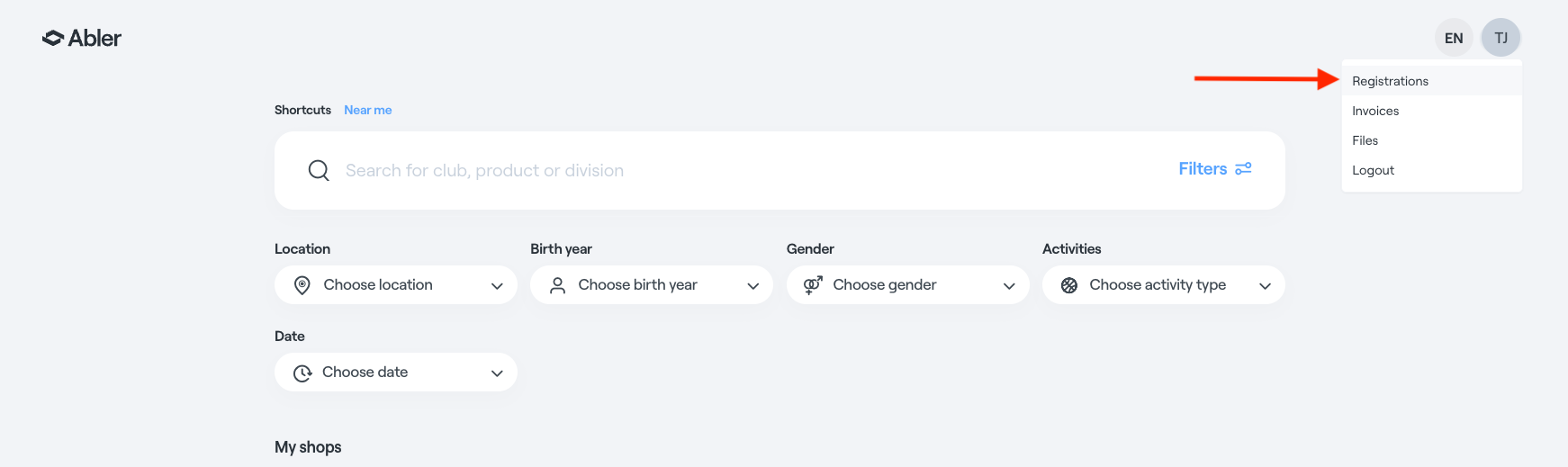
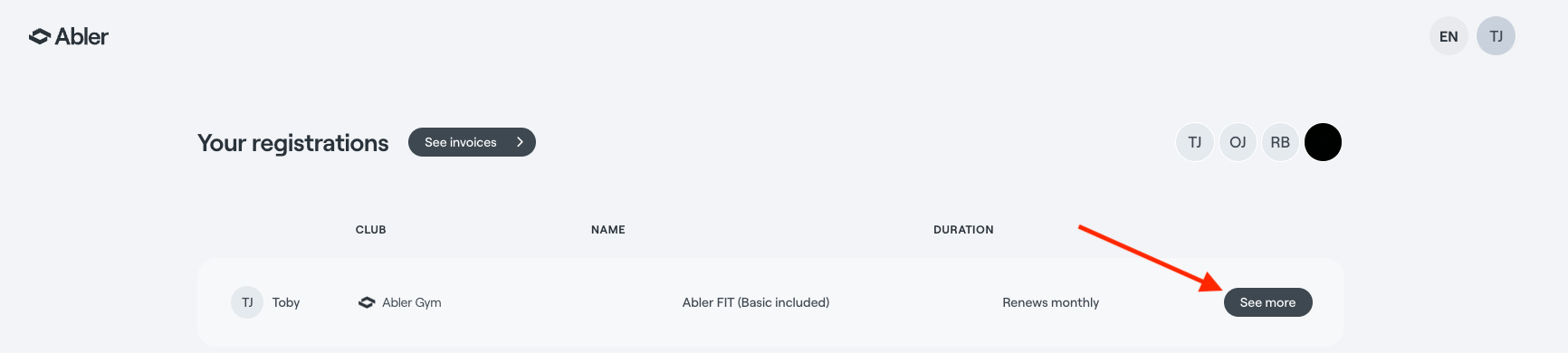
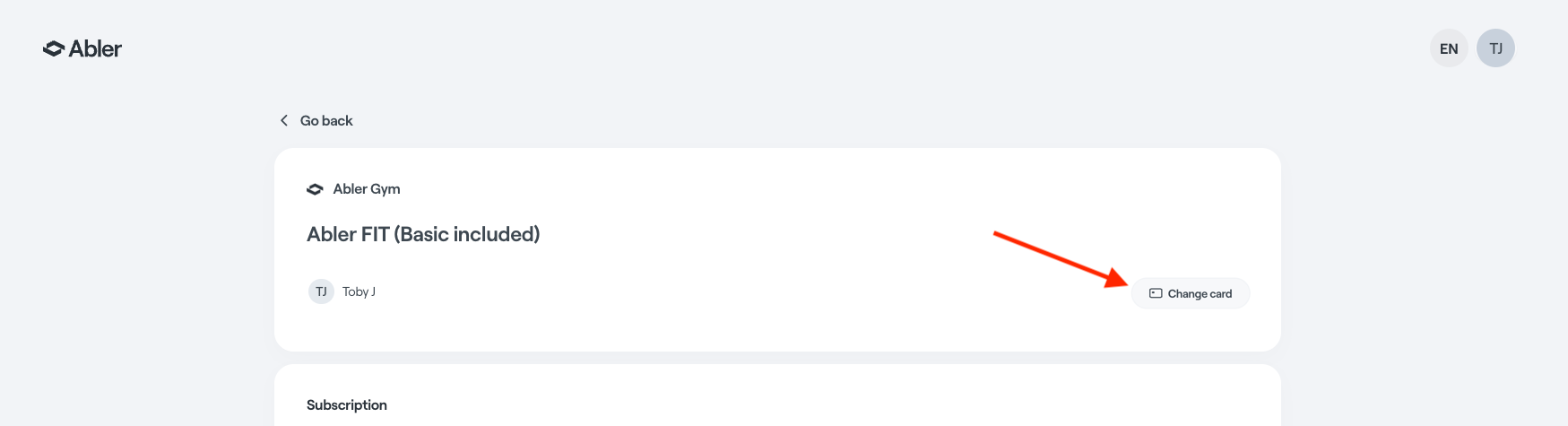
In computer
1. Go to the Marketplace and then Registrations
2. Find the subscription and click See more
3. There you can change your card
Related articles:
How to cancel a recurring subscription?
Where can I get my receipt and see my subscriptions?
Keywords: Update credit card