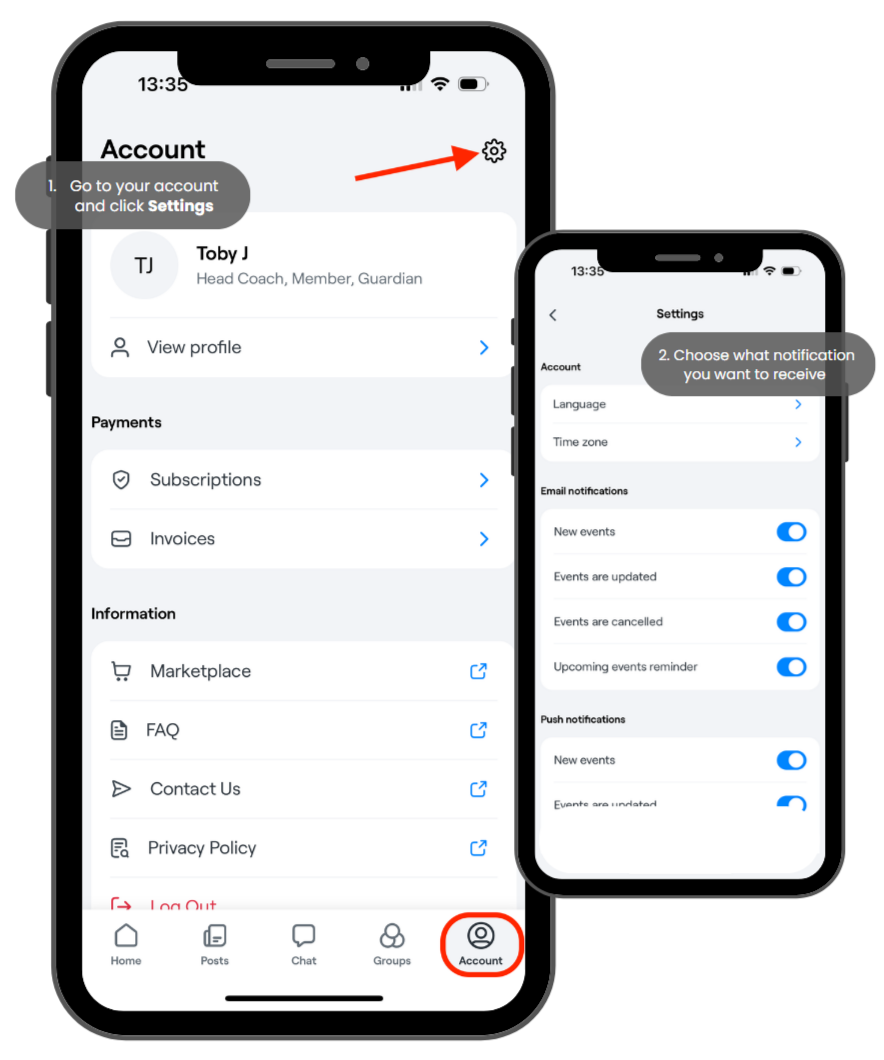
Settings - Emails and "push" notifications on the phone
Under Settings, you can change the language and time zone. You can also manage your notification preferences for both in-app and email alerts.
To view/change the settings in Abler app
Go to your account and click the cogwheel icon in the top right corner.
From there, you can customise your email and push notification preferences, as well as change your language and time zone.