Sending messages in Abler
Loading…
There are many ways to send messages to players/guardians/coaches. It's also possible to attach documents and images to the chat.
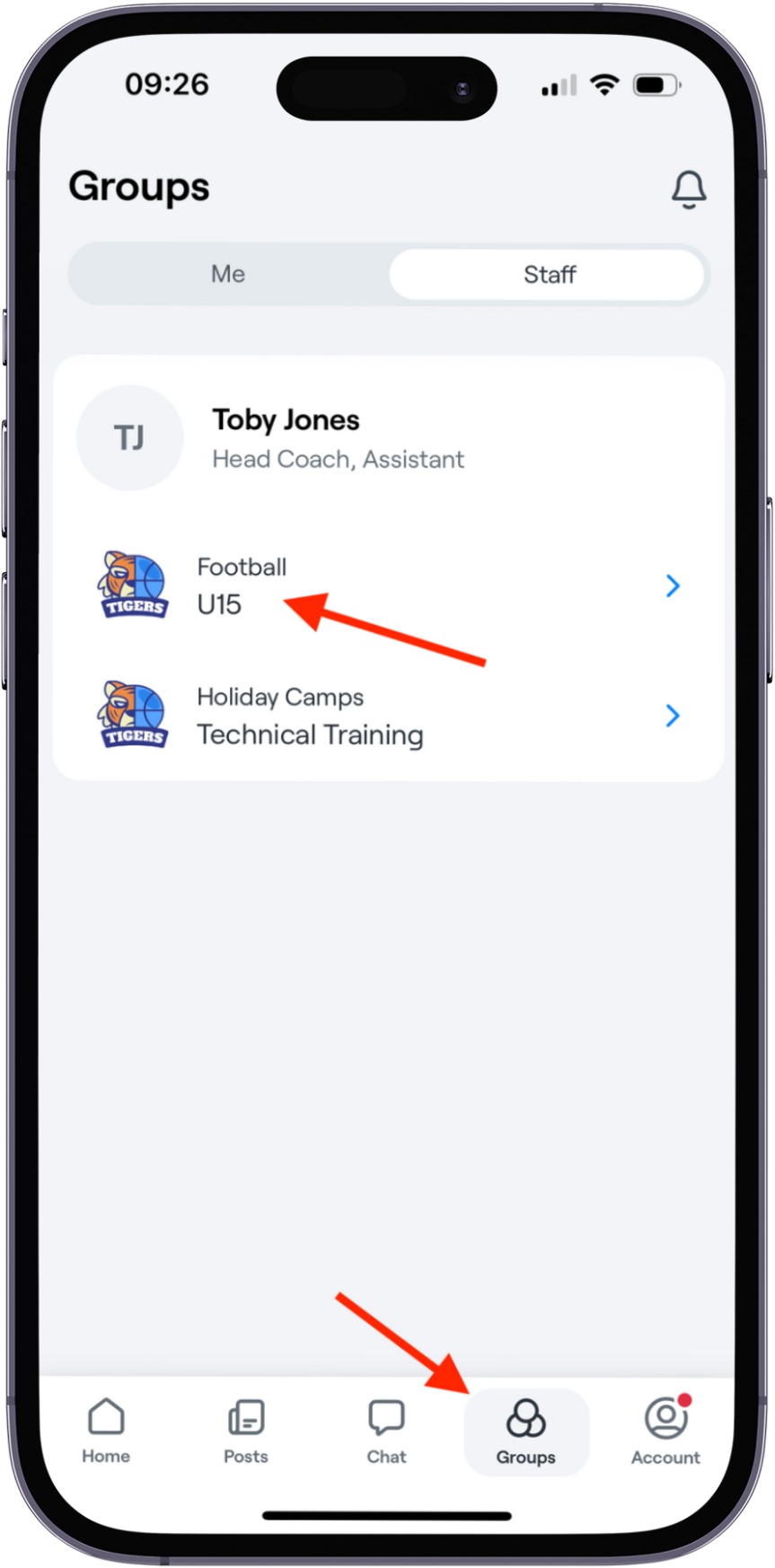
You can send messages in the app like this:
Open the group you want to message.
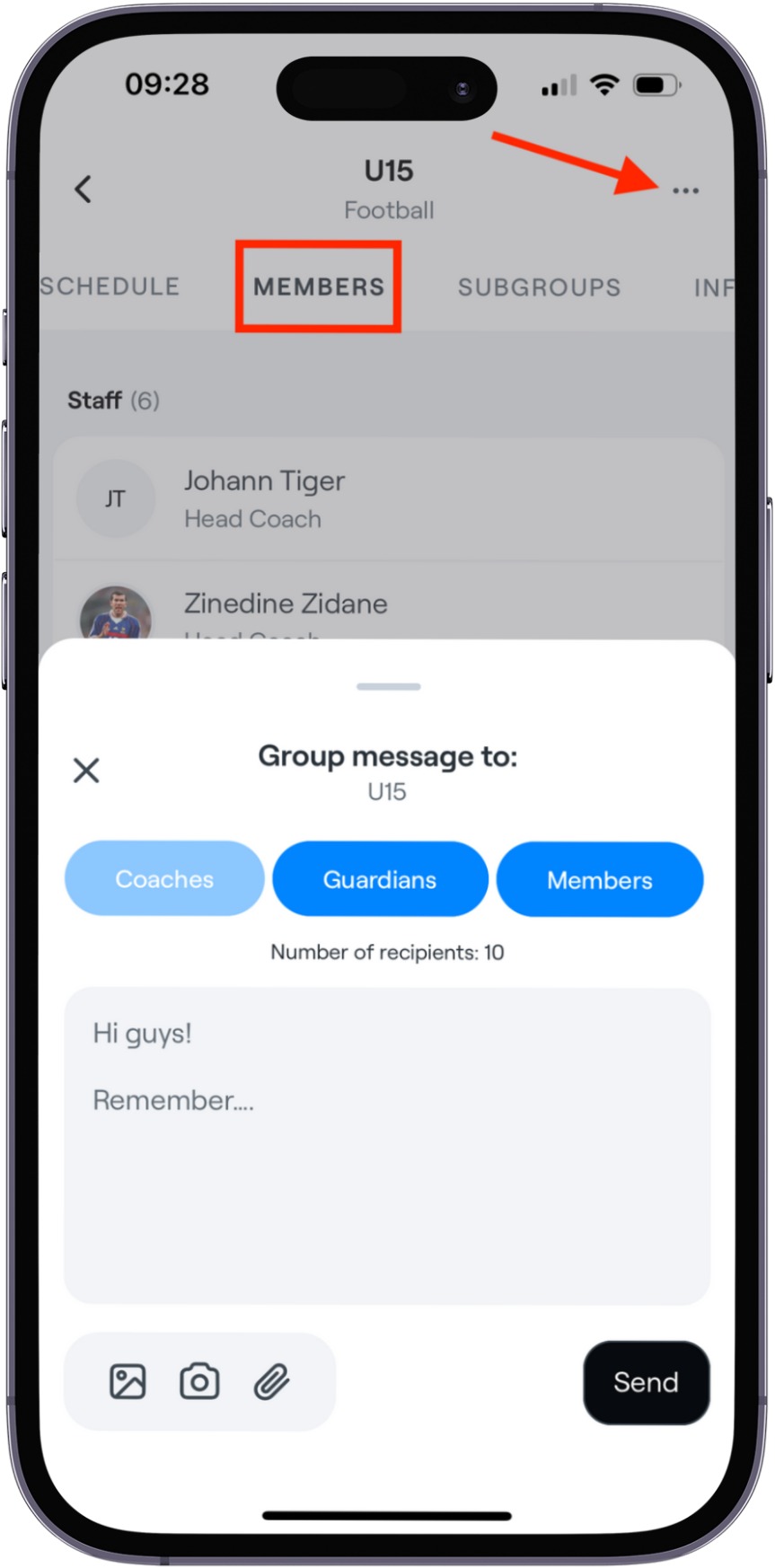
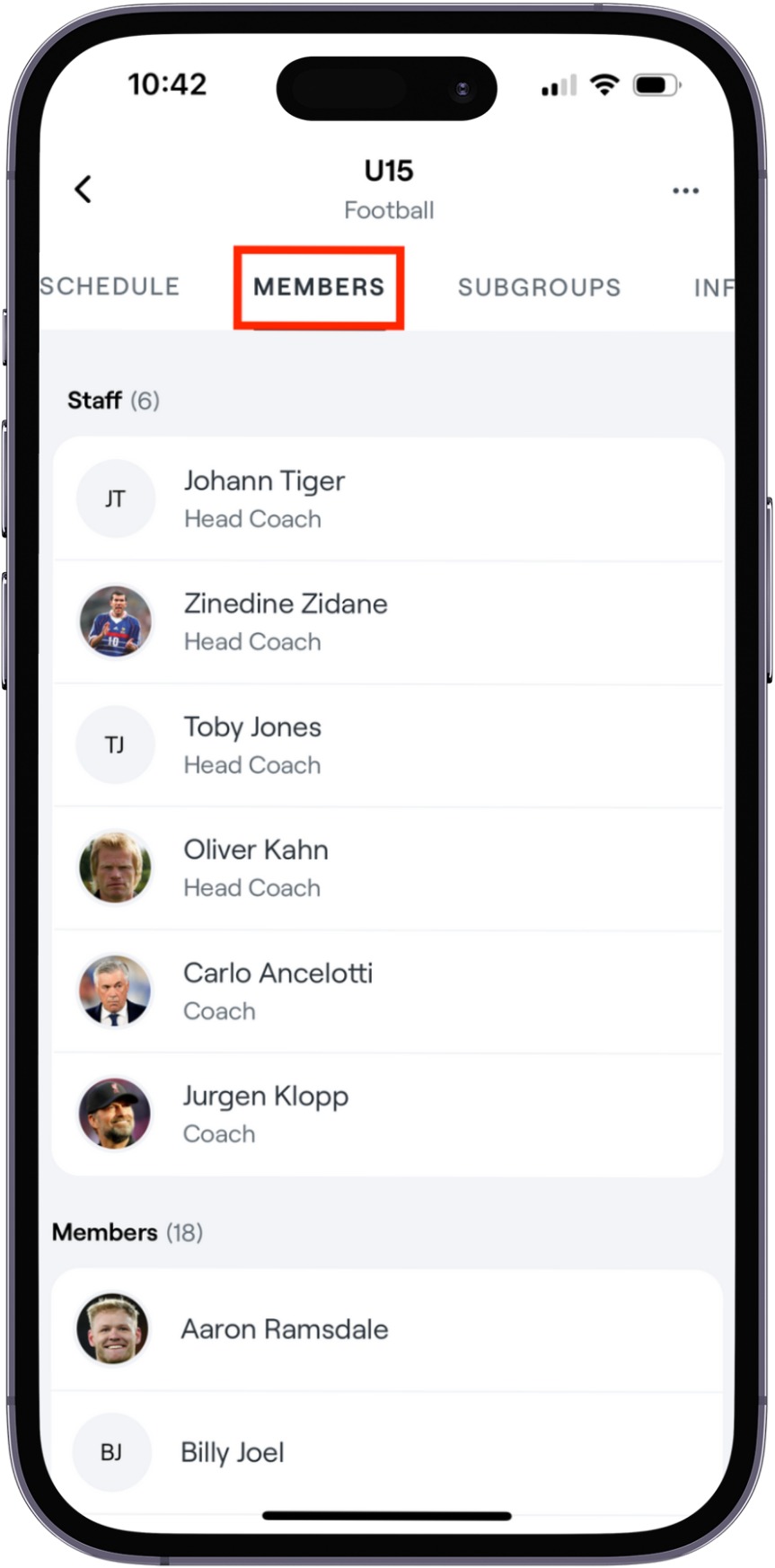
Navigate to the Members section.
Select the three-dots icon in the upper-right corner and then select Message group.
Select whether to send the message to Guardians, Members, or both.
 |  |
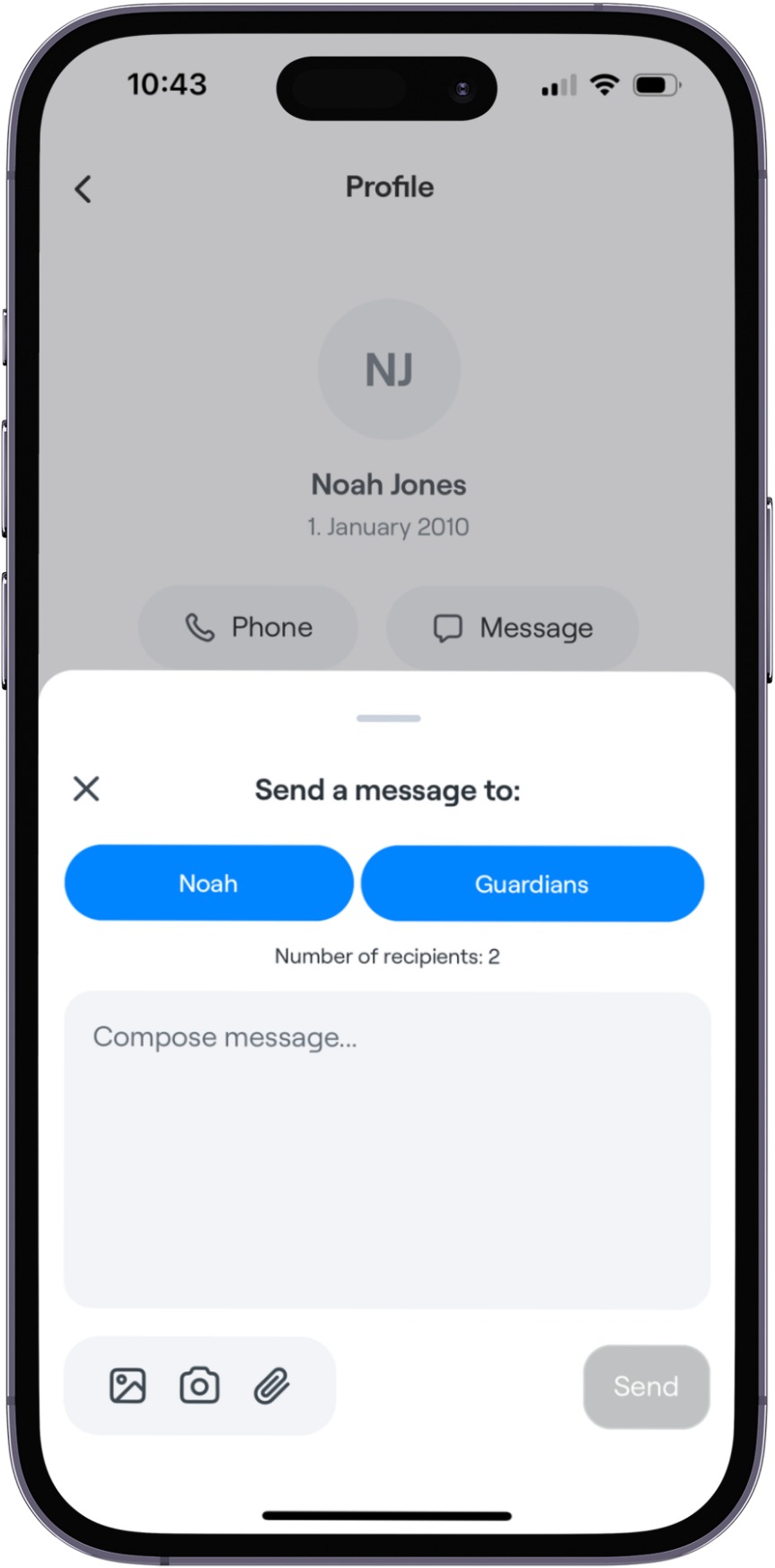
Select Message and there you can select the member or their guardians.
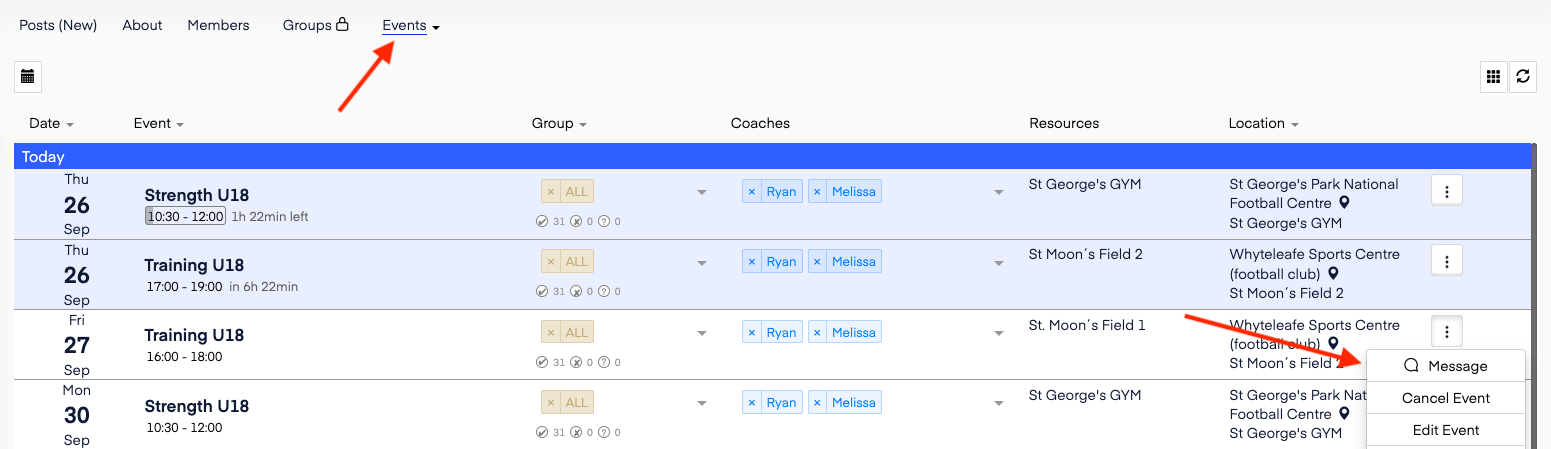
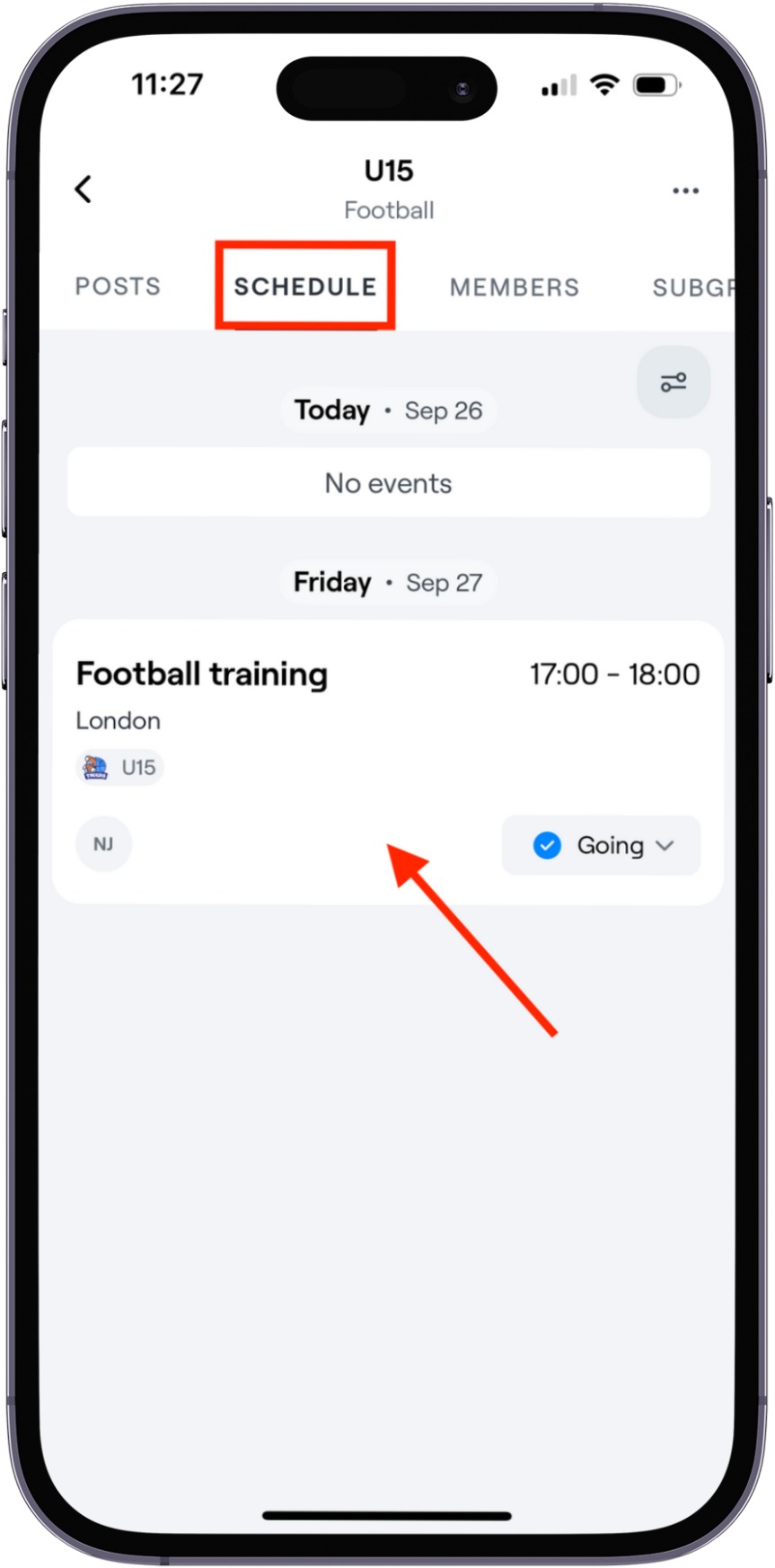
Go to the event.
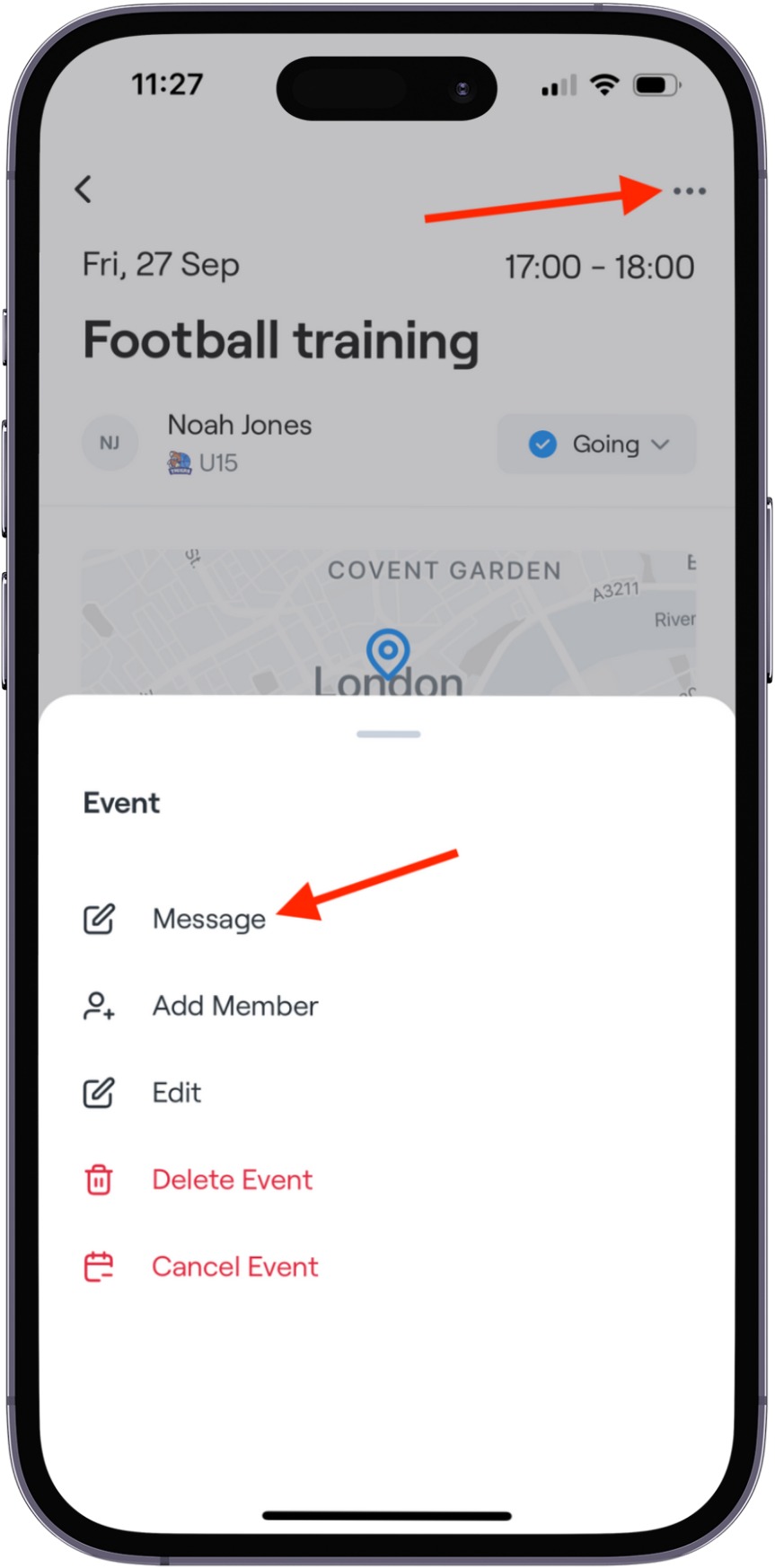
Select the three-dots icon in the upper right corner and then Message.
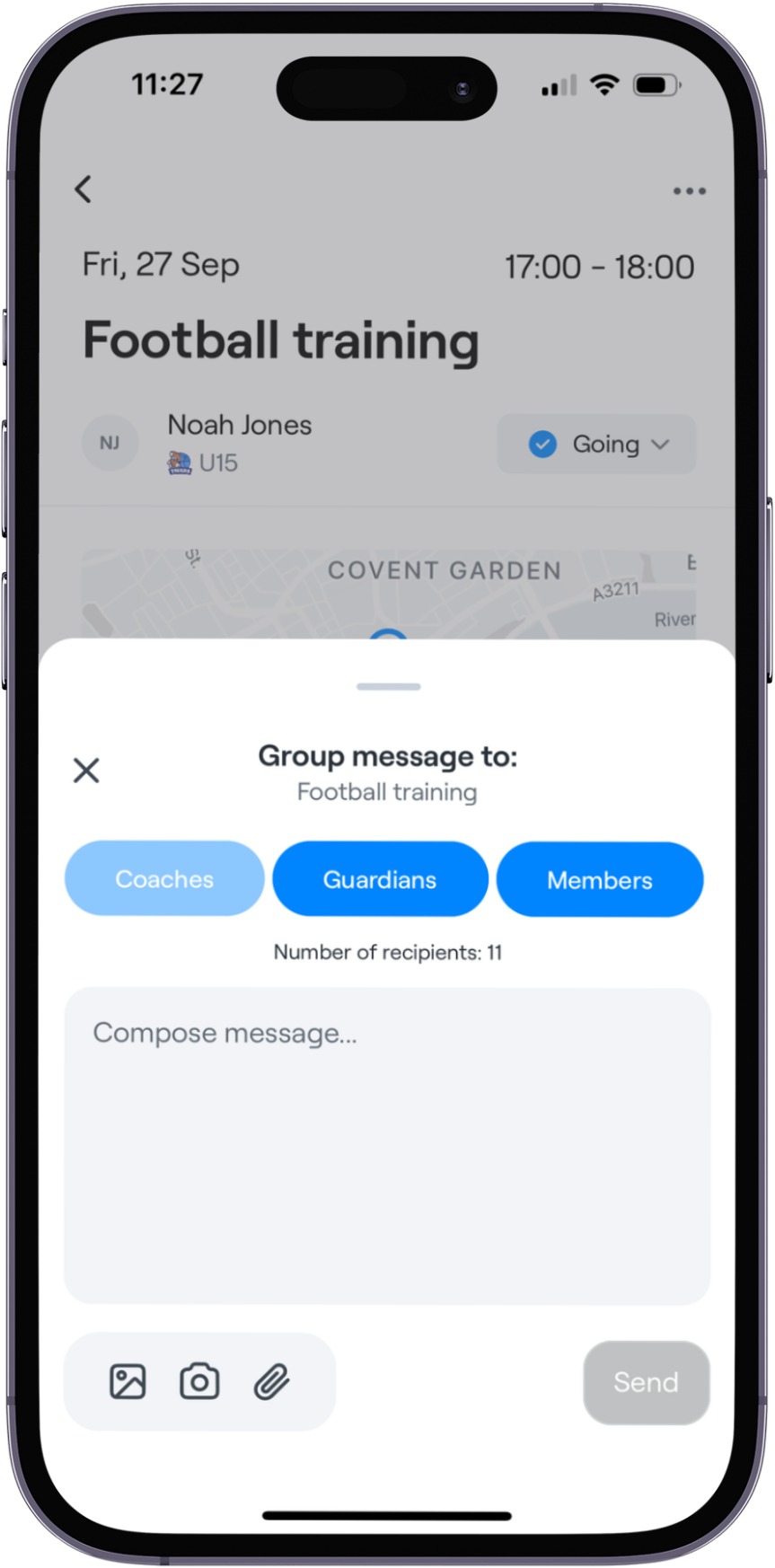
There you can send the message.
Select the relevant group in the left-hand menu.
Select the Groups tab
Click the three-dots icon for the player group you want to message and select Message.
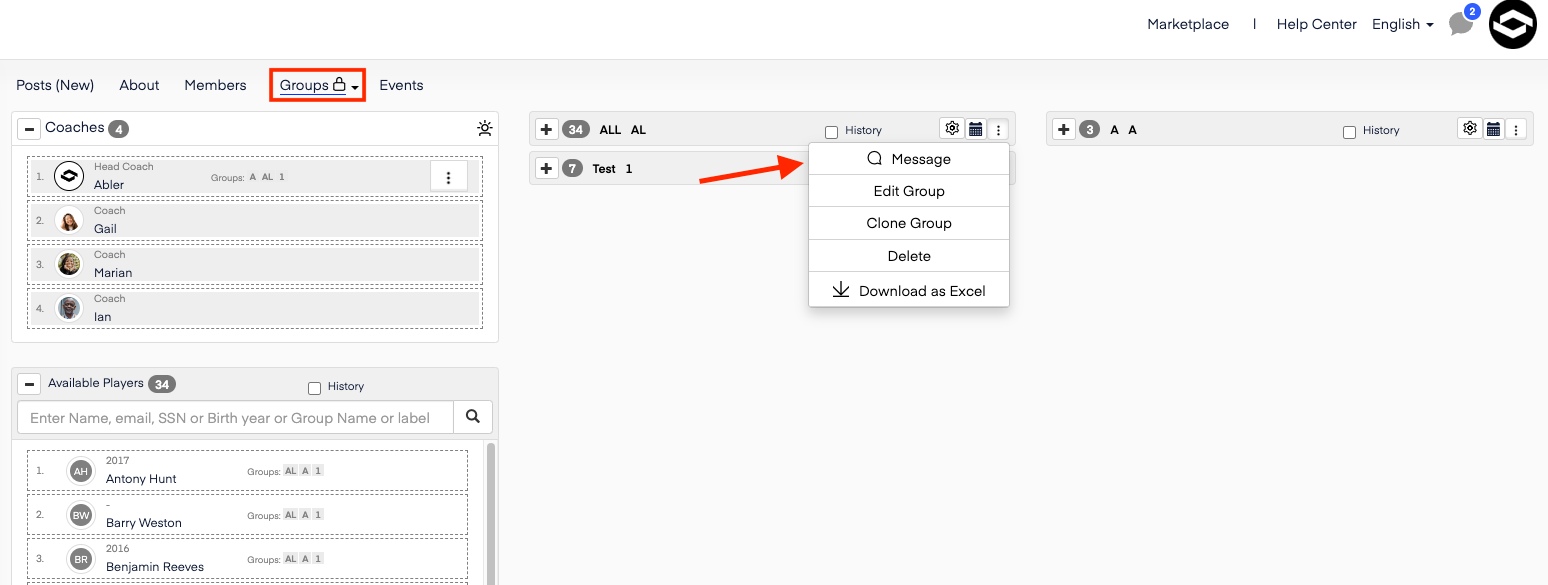
You can send the message to:
Everyone in the age group
Players only
Guardians only
Coaches only
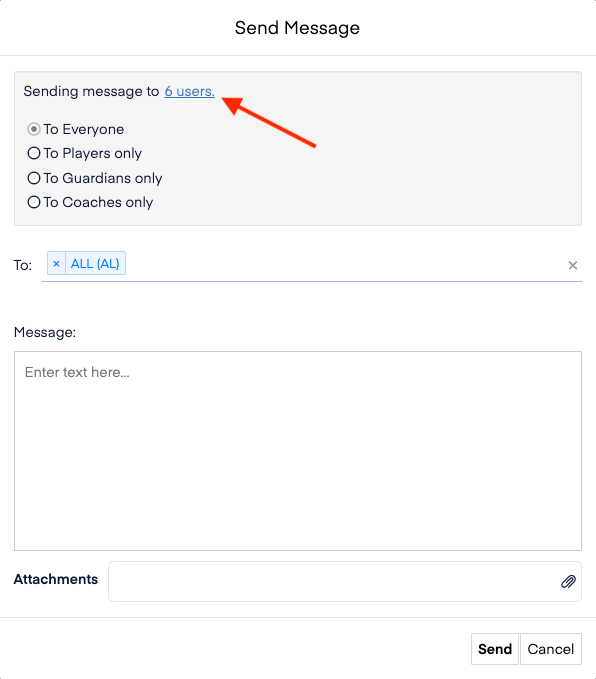
Note: You can always see what individuals you are sending to by clicking the users at top.
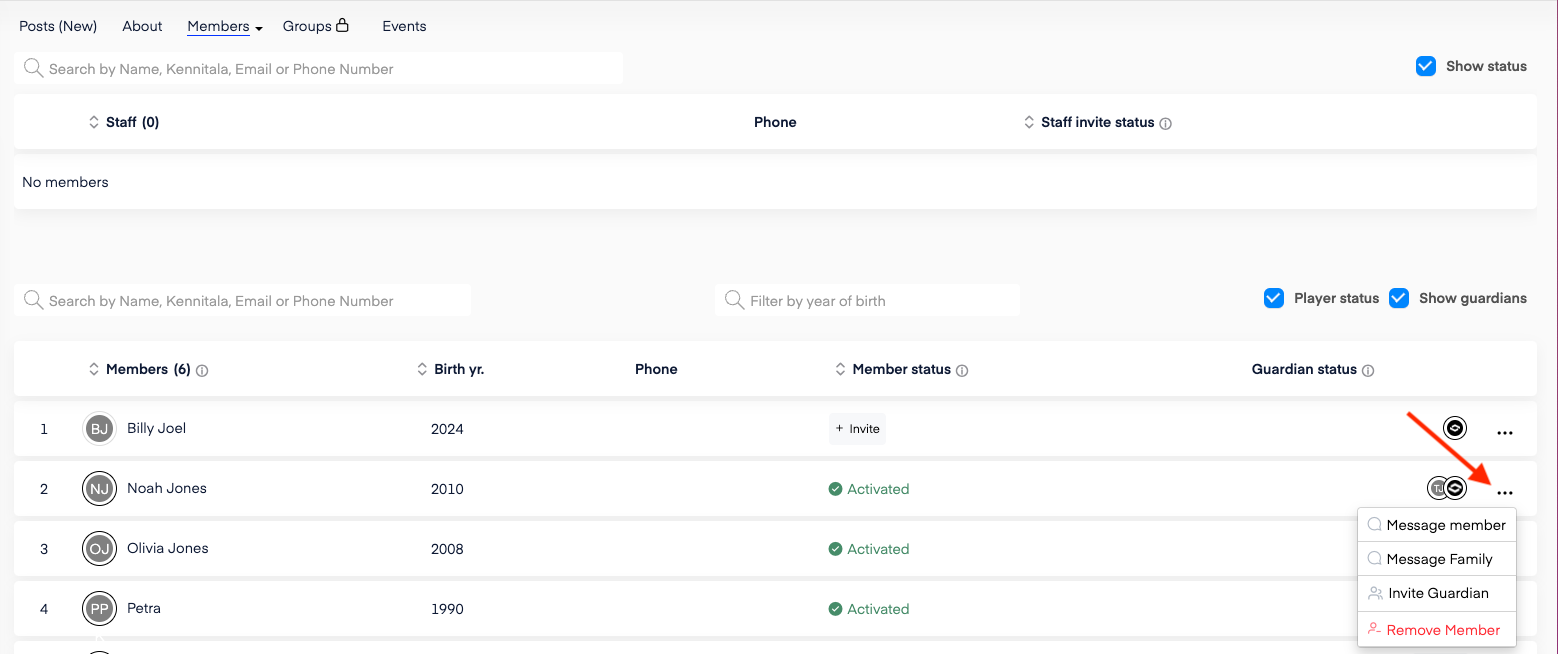
Navigate to the Members tab.
Find the player you want to message and select the three-dots icon next to their name.
Select whether to Message member or Message Family.
Navigate to the Events tab.
Click the three-dots icon next to the relevant event and select Message.