Sending Messages in Abler
There are multiple ways to send a message in the Abler app
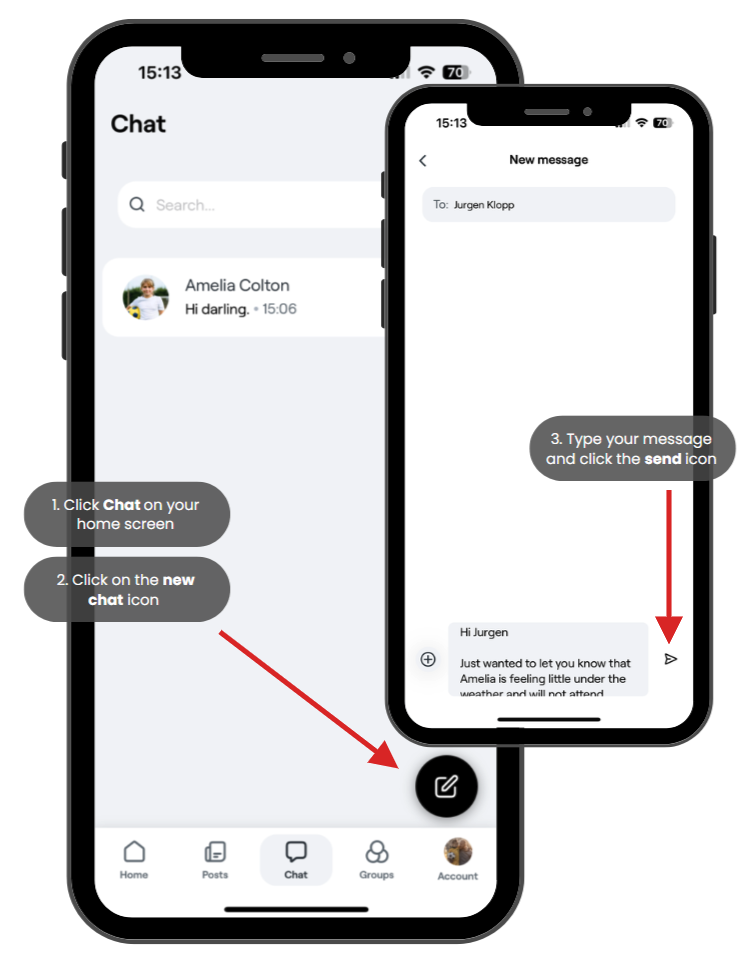
Start a New Chat:
Tap Chat in the app.
Click the pen icon to create a new chat.
Search for the name of the person you want to message.
You can also send a message to multiple people at once.
Send a Message to a Coach via a Group:
Go to the Groups section.
Select the group where the coach is a member.
Tap Info, scroll down, and press the three dots.
Choose Send Message to send a direct message to the coach.
Send a Message to a Coach from an Event:
Open the Events on the home screen.
Find the event and locate the coach.
Tap the three dots next to their name and select Send Message.
These options make it easy to communicate with coaches and guardians within the app.