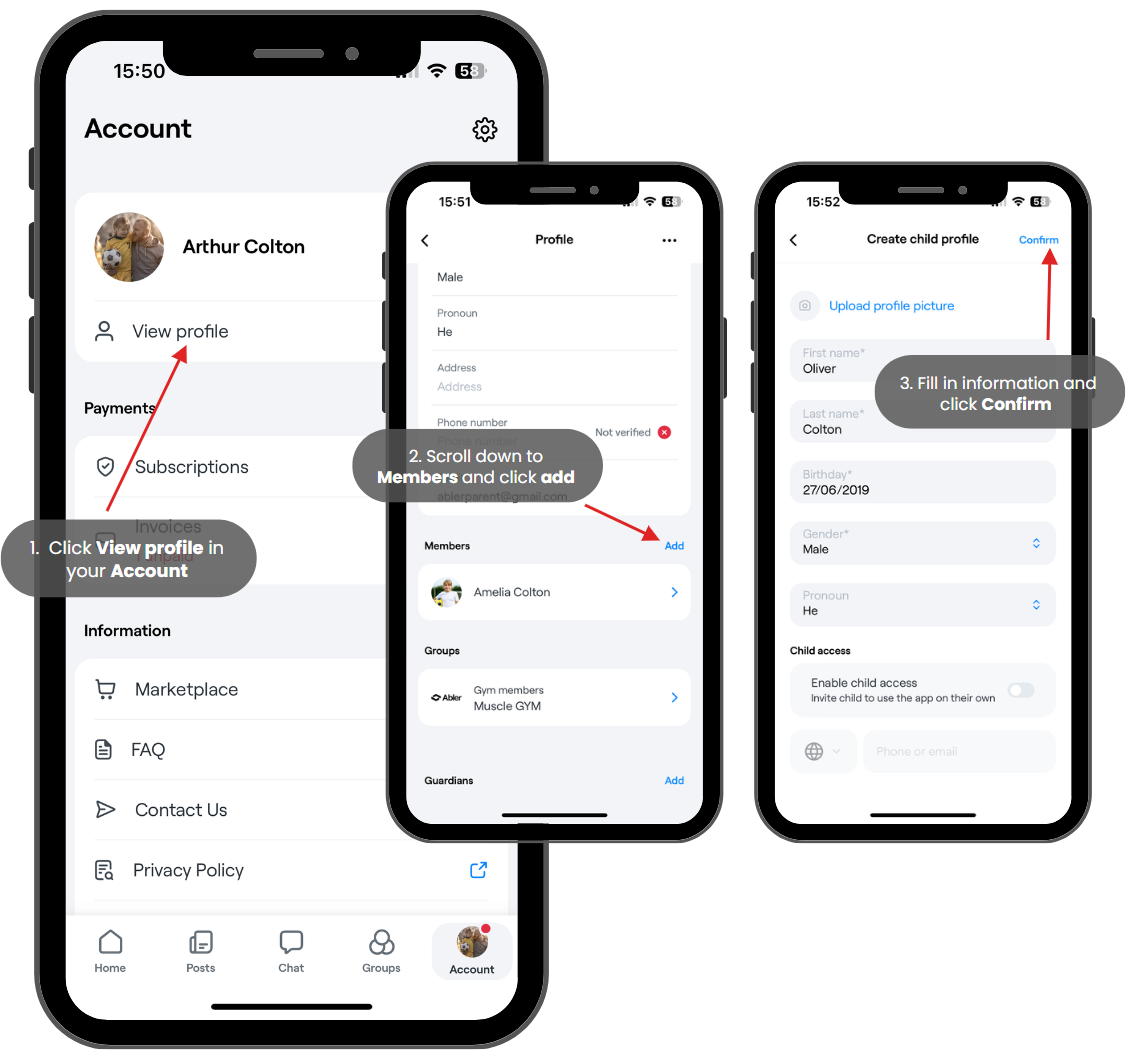
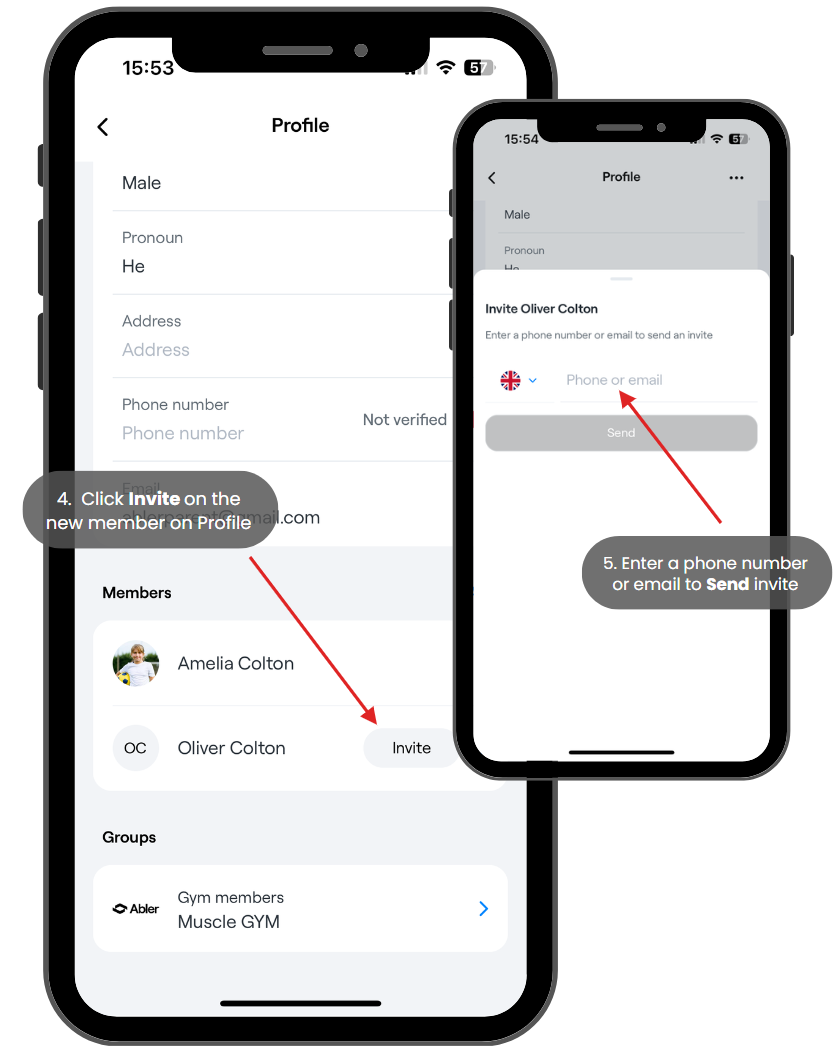
Knowledge base›Members and guardians›Profile and family settingsInvite your child to create their own accountUpdated 9 November 2026On this page (7)1. Go to your account and click View profile2. Scroll down to Members and click add (skip this if you already have your child added) and instead press invite next to your child's name.3. Fill in information and click Confirm - If you want your child to have an Abler account on their ownthen you select the button next to Enable child access and write down their Phone number or email.They will then get an invite to create account.4. You will be re-directed to your profile - Click invite on the new member5. Enter phone number or email to Send inviteLoading…Was this article helpful?YesNo