Create a training
Creating a single training Session
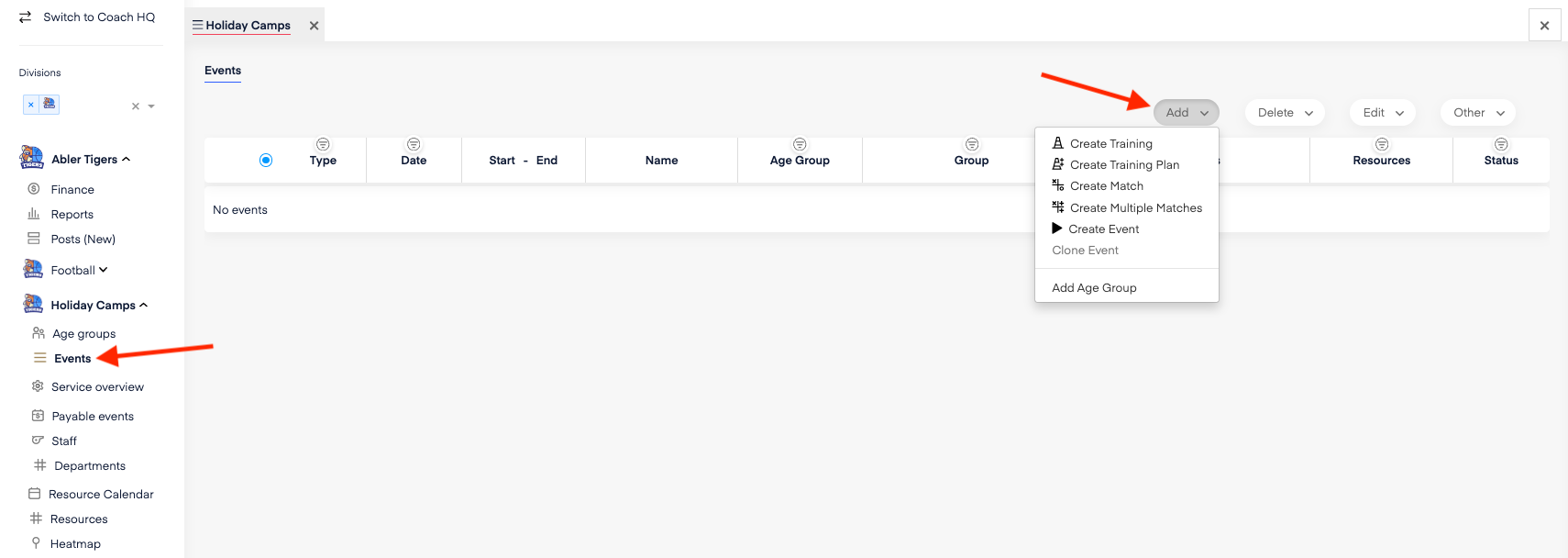
Navigate to Events in the left-hand menu.
Click on Create and select Create Training.
Important Notes:
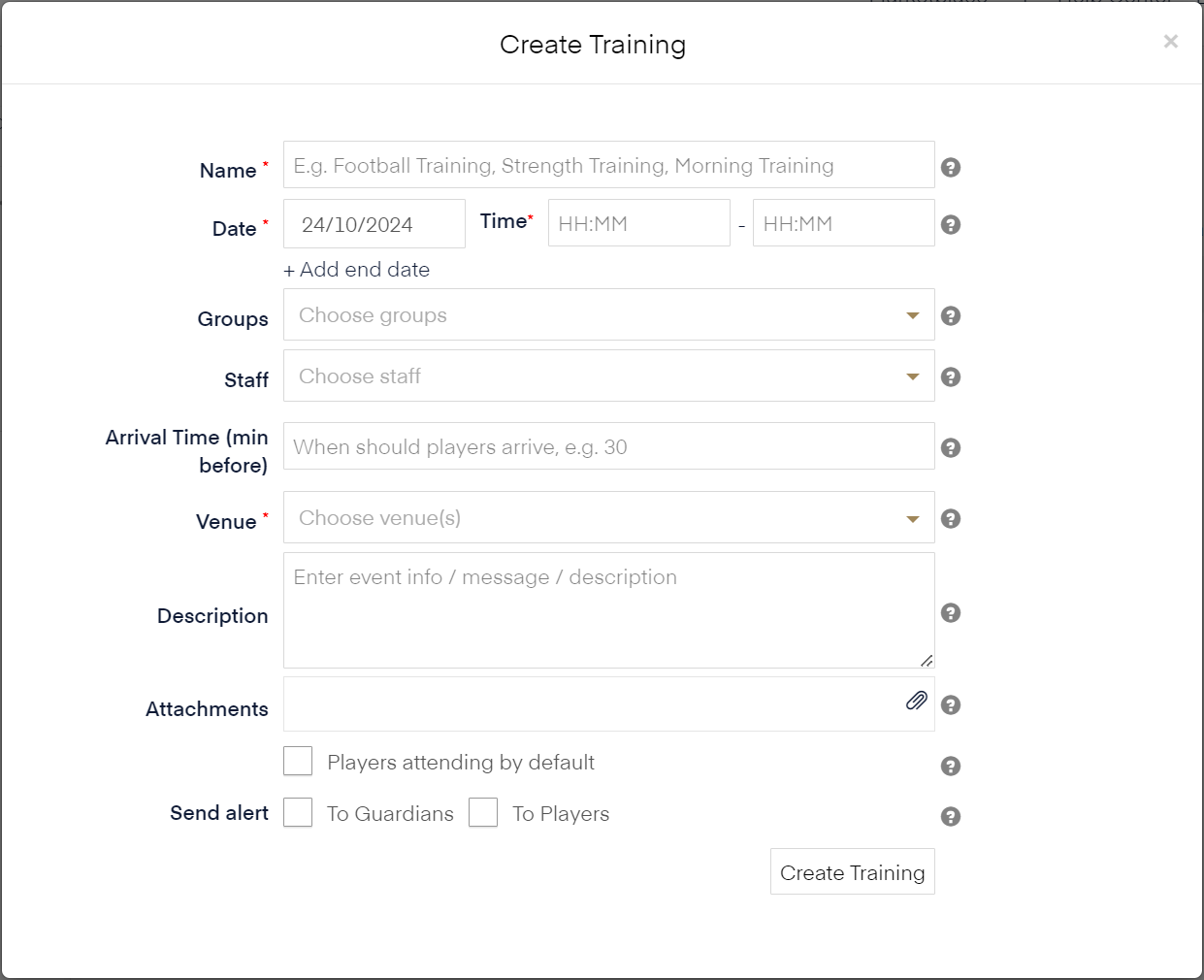
Select the correct group(s): Make sure to choose the group or groups that should be invited to the training. This ensures the right members and guardians receive the invitation.
Location: Don’t forget to choose the location where the training will take place.
Attendance Settings:
Default Attendance: If this is selected, all members will automatically be marked as attending. They or their guardians must manually update their status if they are not attending.
No Default Attendance: Players or guardians will need to actively respond to indicate whether they will attend or not.
Coaches can always update or override the attendance list manually if needed.
Notifications:
You can choose to send a notification to players and/or guardians when the training session is created.