Connect Kellogg’s Codes to Programmes
Loading…
Navigate to Finance → Discounts and Configuration
Click Create Discount
In the General section:
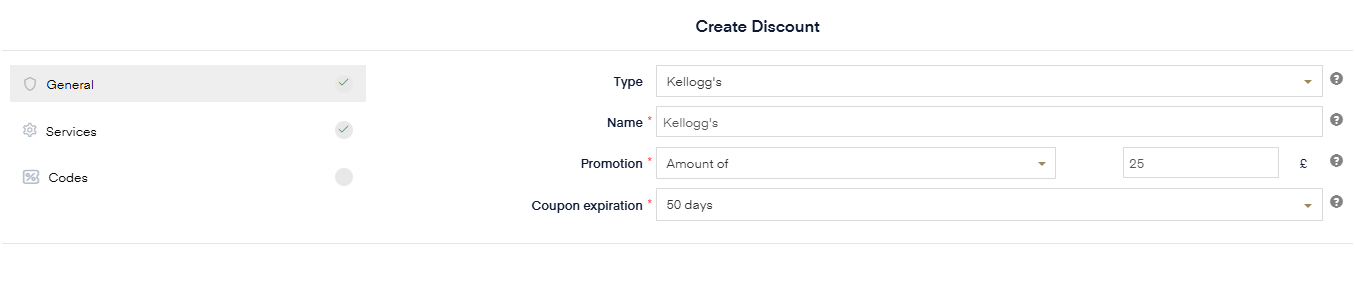
Set Type to Kellogg’s
Add a name (e.g. Kellogg’s Full Discount)
Go to the Promotion section:
Select Fixed Amount
Enter the full price of the programme (e.g. £25 as shown above)
This ensures that when a code is used, it covers the full cost of the programme.
Go to the Codes / Bulk Upload section
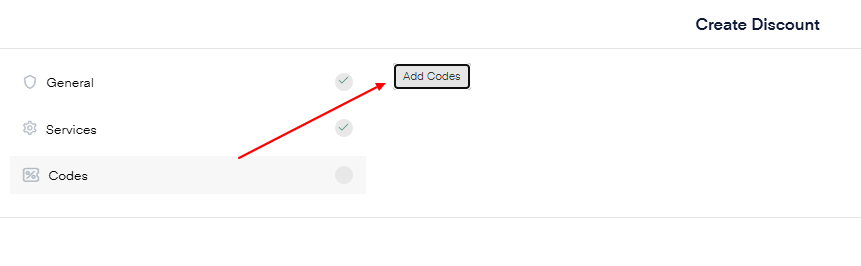
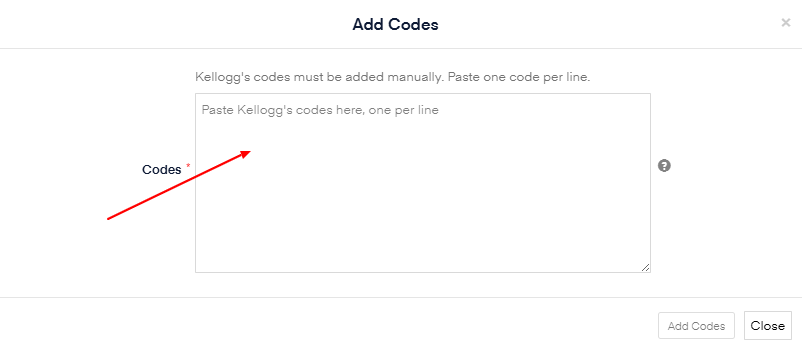
Upload or paste all Kellogg’s codes
Each code must be unique
Select the programme(s) the codes should apply to
Ensure the discount is active and within the batch period (P1 Expires 21st of May and P2 expires 1st of September).
Once everything is set up correctly - Click Create

Result
Customers can enter their code at checkout and the price will be reduced to £0 (fully covered).